Can You Open a Shopify Store for Free? (2026 Hidden Methods & Costs)
Can you open a Shopify store for free? Technically, yes at least in the beginning. However, many beginners misunderstand what “free” actually means on Shopify. In this guide, we’ll break down exactly what parts of Shopify are free, what costs to expect later, and how beginners can minimize expenses while building their first online store.
The Short Answer: Is Shopify Ever Truly Free?
No, Shopify is not permanently free. Unlike open-source ecommerce platforms, Shopify operates on a subscription-based model, meaning you will eventually need to pay a monthly fee to keep your store active and accept customer orders.
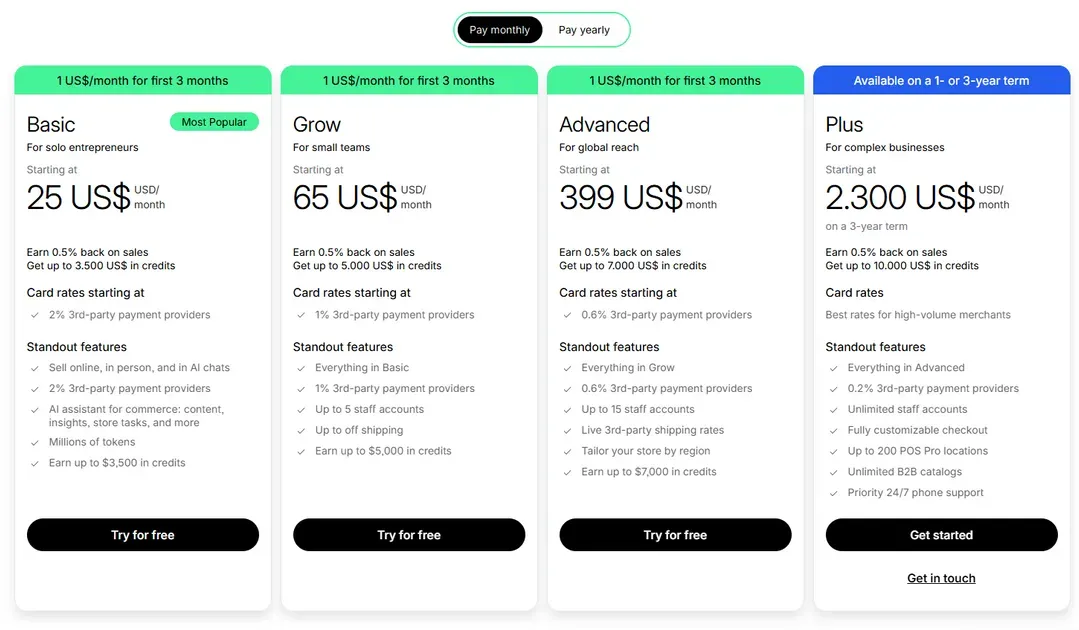
That said, Shopify does allow users to start with zero upfront cash in many cases. New merchants can typically access a free trial period to explore the platform, customize themes, add products, and test store functionality before paying for a standard plan.
After the trial ends, you need to pay monthly or yearly to keep your store running. So if you are asking “is Shopify free?”, the most accurate answer is:
Free to test and build initially
Not free for long-term operation, follow the Shopify pricing plan to keep selling.
Low-cost enough for beginners to validate a business idea before scaling
You May Concern: How Much Is Shopify Monthly: Complete Pricing Breakdown 2026
Leveraging Shopify Credits to Offset Costs
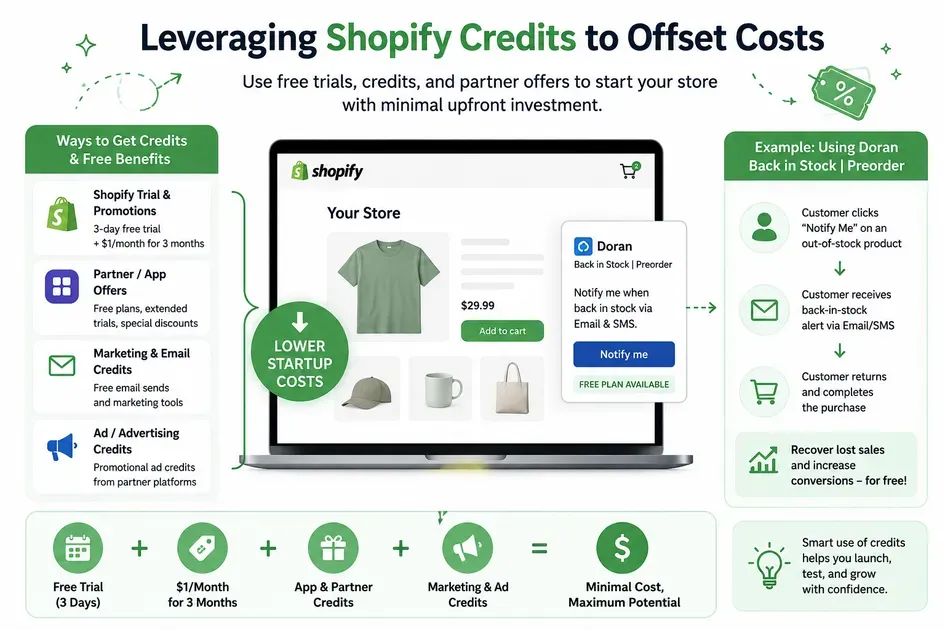
Can you open a Shopify store for free? No, but you definitely can offset costs. One overlooked advantage for beginners is that Shopify’s ecosystem includes free credits, partner incentives, and app-level promotions that can reduce startup costs in the first few months.
While these offers will not eliminate every expense, they can help you run a store with minimal upfront investment while testing your business idea. Here’s a realistic example of how a beginner could combine Shopify promotions and free tools to lower costs significantly:
Example: Starting a Print-on-Demand Shopify Store With Almost No Upfront Budget
Imagine you want to sell custom t-shirts using a print-on-demand (POD) model. Instead of purchasing inventory upfront, you connect a free POD app like Printify to your Shopify store.
Here’s how the cost breakdown could work:
Shopify free trial → Use the platform without immediate payment while building the store
Shopify’s $1/month promotion → Keep the store running for the first three months at a very low cost
Free Shopify themes → Avoid paying $200–$400 for premium designs
Printify free plan → Upload and sell products without inventory costs
Free Canva account → Create basic product graphics and banners
Free email marketing tier → Collect your first subscribers without paying for marketing software
In this setup, your only unavoidable costs may be:
A custom domain name (typically around $10–$20/year)
The $1/month Shopify promotional fee
Transaction fees after making sales
Everything else can be handled using free tools until the business starts generating revenue.
How to Use Shopify’s Current Trial Structure to Start For Free
If you are wondering “can you open a Shopify store for free,” the answer mostly depends on how you use Shopify’s trial system. While Shopify is not permanently free, the platform does allow beginners to start building a store with almost no upfront investment through its free trial and promotional pricing structure.
This two-phase setup is usually the closest thing to running a Shopify store for free during the early stages.
The 3-Day Free Trial (The Risk-Free Setup Phase)
The first phase allows you to explore Shopify without paying immediately. During this period, you can:
Customize your storefront design
Browse and test Shopify themes
Upload products and product images
Create collections and navigation menus
Install free Shopify apps
Configure shipping and payment settings
This setup phase is ideal for beginners who want to test business ideas before committing to a paid ecommerce subscription.
Phase 2: The $1/Month for 3 Months Extension (The Launch Phase)
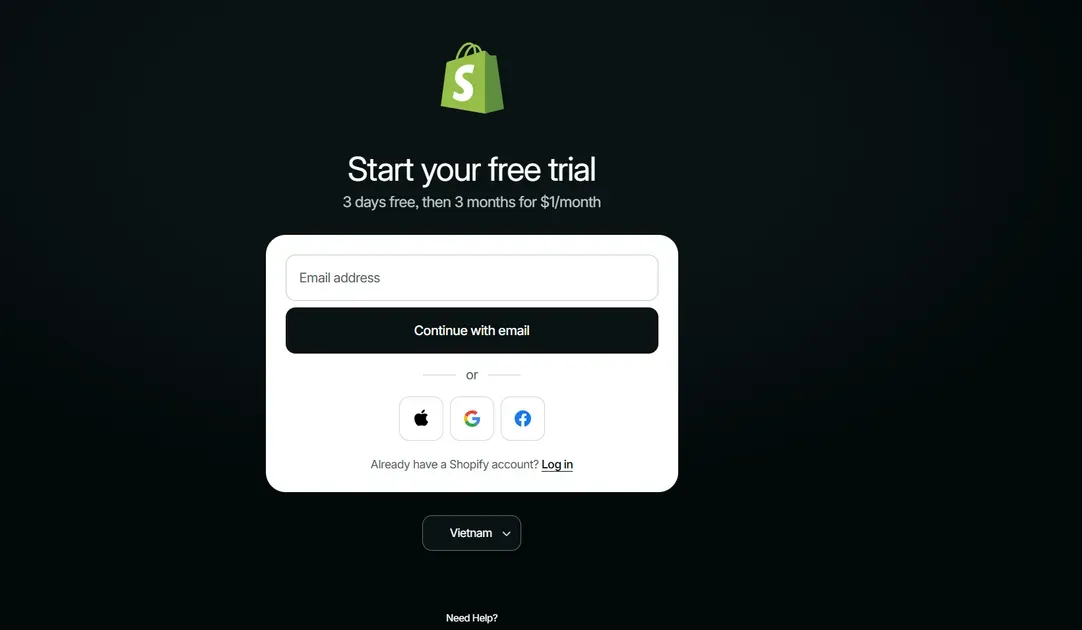
After the free trial ends, Shopify usually offers a low-cost extension that allows new merchants to continue using the platform for just $1/month for 3 months.
This is the stage where your Shopify store officially becomes active. To start selling products publicly, you typically need to activate this promotional plan so you can:
Remove the password protection page
Make the store accessible to customers
Accept real customer orders
Enable live payment processing
Launch marketing campaigns
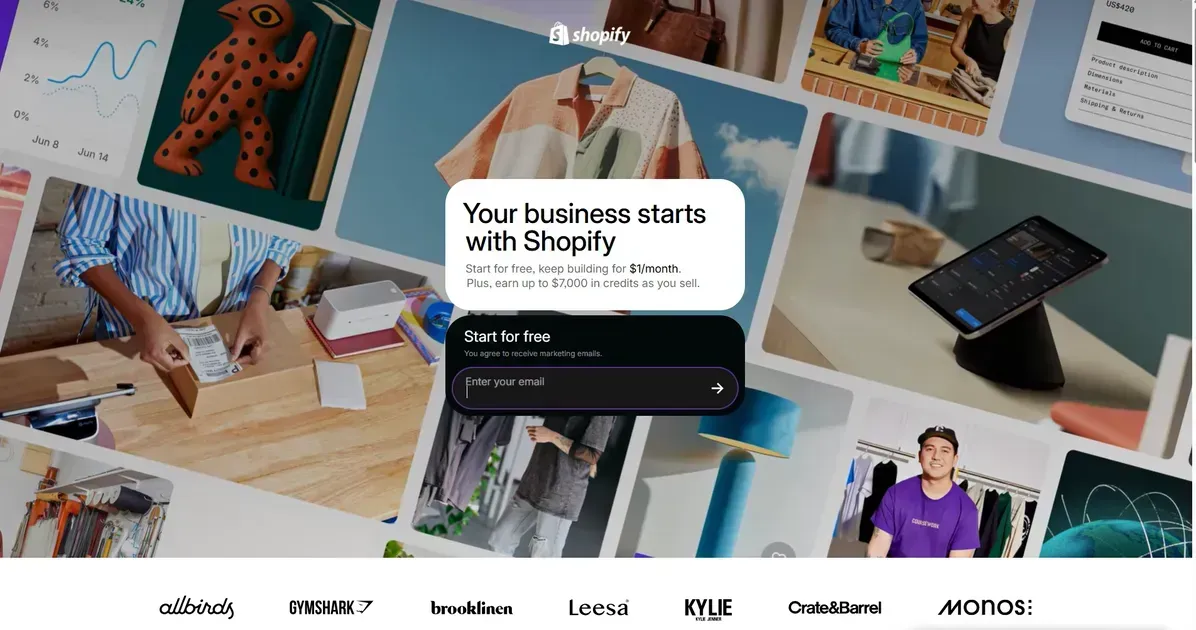
Access Shopify $1 for 3 months to start this amazing extensions. For many entrepreneurs asking “can you open a Shopify store for free,” this promotional phase offers a practical low-risk way to launch and validate an online business before paying standard Shopify subscription fees later.
Some Hidden Cost Traps to Avoid During Free Trial time
Although Shopify’s trial structure makes it possible to start with very little money, many beginners still underestimate the extra costs that appear during the setup and launch stages.
If you are researching “can you open a Shopify store for free” or “is Shopify free,” understanding these hidden expenses can help you avoid unnecessary spending early on.
Domain Registration Costs
One of the first optional costs most store owners encounter is buying a custom domain name.
Technically, you can use Shopify’s default branded URL during the trial phase, but it often looks less professional for real customers. Most businesses eventually purchase a custom domain to improve branding and trust.
Typical costs include:
Around $10–$20/year for standard domains
Higher prices for premium domain names which can reach $100
Renewal fees after the first year
If your budget is extremely limited, you can delay purchasing a custom domain until your store is closer to launch.
| TLD | First-year cost | Renewal cost (annual) |
|---|---|---|
| .com | $8–$15 | $12–$18 |
| .net | $10–$17 | $14–$20 |
| .org | $9–$16 | $12–$20 |
| .co | $15–$35 | $25–$35 |
| .io | $40–$70 | $40–$70 |
| .ai | $50–$80 | $60–$100 |
| .xyz | 99¢–$12 | $8–$15 |
| .tech | $5–$15 | $15–$25 |
| .us | $10–$30 | $10–$20 |
| .app | $10–$30 | $15–$30 |
Transaction and Credit Card Fees
Even after activating Shopify’s low-cost promotional plan, payment processing fees still apply whenever customers place orders.
These charges usually include:
Credit card processing fees
Transaction fees depending on your payment provider
Currency conversion fees for international sales
| Credit card network | Processing fee range | Network fee |
|---|---|---|
| Visa | 1.15% + 5¢ to 2.4% + 10¢ per transaction | 1.95¢ per transaction + 0.14% of all Visa credit card volume |
| Mastercard | 1.15% + 5¢ to 2.5% + 10¢ per transaction | 1.95¢ per Mastercard transaction + 0.13% of the transaction amount |
| Discover | 1.4% + 5¢ to 2.4% + 10¢ per transaction | 1.95¢ per transaction + 0.13% of all Discover card volume |
| American Express | 1.43% + 10¢ to 3.3% + 10¢ per transaction | 0.165% on all American Express transactions |
This means Shopify is never truly “free” once real sales begin. However, most beginners only pay these fees after generating revenue, which lowers the financial risk compared to inventory-heavy business models.
Premium Themes vs. Free OS 2.0 Themes
Many new merchants overspend on premium Shopify themes too early. While paid themes can offer advanced layouts and features, Shopify’s free Online Store 2.0 themes are now powerful enough for most beginner stores. In many cases, free themes already support:
Mobile optimization
Product filtering
Fast loading speeds
Modern ecommerce layouts
App integrations
You can check some free Shopify themes for mobiles in this post to optimize costs. Unless your store requires highly customized functionality, sticking to a free theme can save hundreds of dollars during the launch phase.
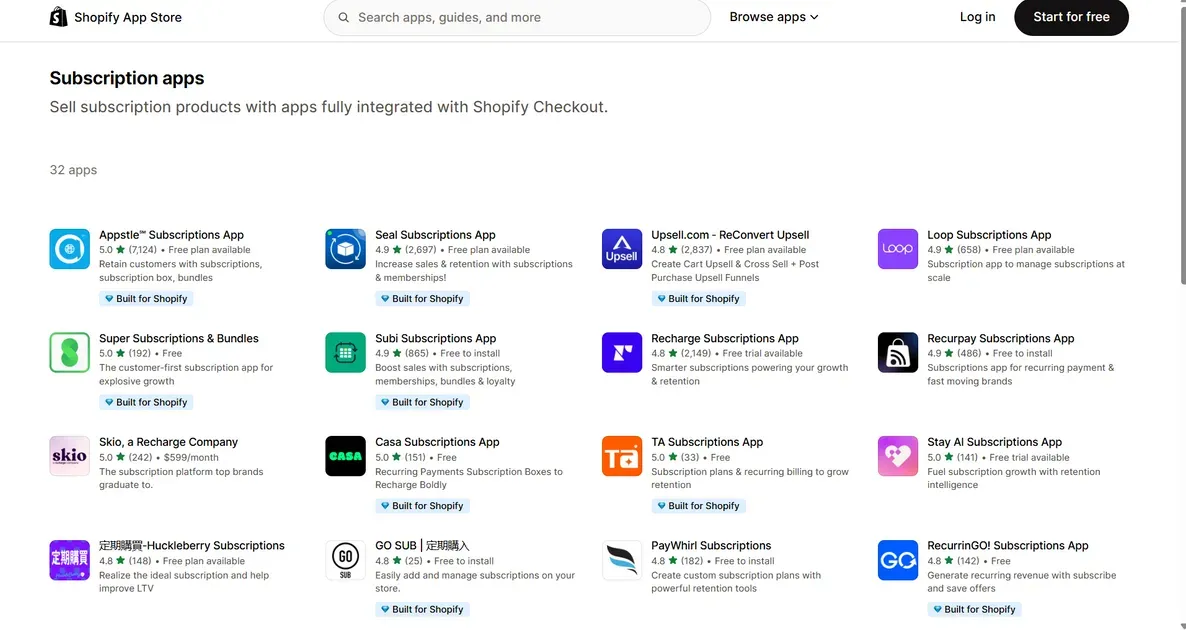
App Subscriptions
App subscriptions are one of the biggest hidden costs inside the Shopify ecosystem. Beginners often install too many paid apps before validating their business idea.
A smarter strategy is to prioritize apps with free plans or free usage tiers first.
For example, apps like allow merchants to recover lost sales using back-in-stock notifications without immediately paying for expensive marketing software.
Other categories that commonly offer free plans include:
Email marketing
SEO optimization
Upsell features
Social proof tools
During the early stages, free apps are usually more than enough for testing products, generating first sales, and understanding customer behavior before upgrading to premium subscriptions later.
Pros and Cons of Shopify for Low-Budget Beginners
For entrepreneurs with limited startup capital, Shopify offers a beginner-friendly way to launch an online business quickly. However, while the platform reduces many technical barriers, it also comes with long-term tradeoffs that new merchants should understand before committing fully.
Pro: Seamless Integration for Dropshipping & POD
One of Shopify’s biggest advantages for low-budget beginners is how easily it connects with dropshipping and print-on-demand (POD) services.
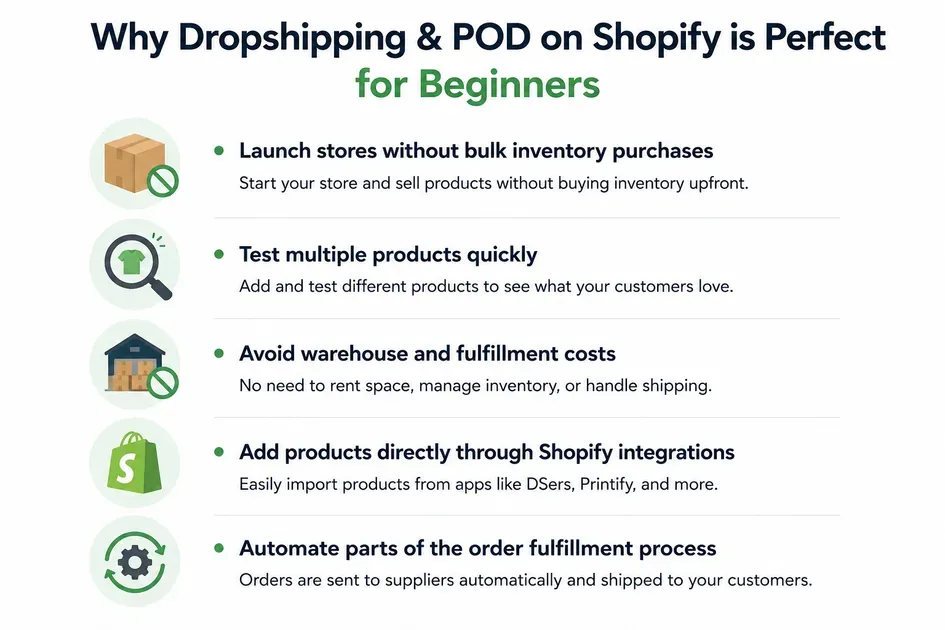
This setup allows new sellers to:
Launch stores without bulk inventory purchases
Test multiple products quickly
Avoid warehouse and fulfillment costs
Add products directly through Shopify integrations
Automate parts of the order fulfillment process
For example, a beginner can create a Shopify POD store using free themes, upload custom t-shirt designs through Printify, and only pay production costs after receiving real customer orders.
This low-risk model is one reason Shopify remains popular among first-time ecommerce entrepreneurs.
Con: Lack of Open-Source Code Control
While Shopify is convenient, it is not fully open-source software. This means merchants operate inside Shopify’s subscription-based ecosystem rather than owning complete control over the platform infrastructure.
Compared to open-source alternatives like WooCommerce, Shopify offers less backend flexibility and customization freedom.
For example:
You cannot freely modify Shopify’s core platform code
Many advanced features require paid apps
Long-term costs can increase as your store scales
Some customizations depend on Shopify’s ecosystem limitations
In contrast, open-source platforms such as WooCommerce can technically be cheaper over time because the software itself is free. However, they usually require more technical knowledge, hosting management, maintenance, and security handling.
For most beginners, Shopify’s convenience outweighs these limitations initially. Still, it is important to understand that “easy to start” does not always mean “cheapest long-term solution.”
FAQ
Can I build my Shopify store without paying?
Yes, but only for a limited time. You can sign up for a 3-day free trial without a credit card to play with the dashboard and build your store layout. To keep building beyond those 3 days, you will need to select a plan.()
Can we sell products during free trials?
No, you cannot process live sales or accept customer payments during a standard Shopify free trial.
Which are free Shopify alternatives?
If you want an entirely free sandbox or a platform with a permanent free tier, consider these alternatives:
WooCommerce: A completely free WordPress plugin (though you must pay for your own web hosting).
Square Online: Offers a free plan where you only pay transaction fees when a customer buys something.
Ecwid: Has a "Free Forever" plan that allows you to sell up to 5 physical products.
Can I cancel my Shopify subscription at any time during the $1 promo period?
Yes. However, if you cancel before the promo ends, your store will close immediately, and you will not be charged the standard, full-price subscription rate ($39+/month) going forward.
Conclusion
Can you open a Shopify store for free? Yes - but mainly during the setup phase. Shopify’s free trial and low-cost promotional plans allow beginners to build, test, and launch a store with minimal upfront investment.
While Shopify is not completely free long-term, using free themes, free apps, and low-risk models like dropshipping or POD can help you start selling online without a large budget.

Hey! I'm Linda Bui. Join me as we explore tips and tutorials about Shopify apps and Shopify themes for your Shopify store.
Start Building Trust Today
Install the Product Reviews app to improve your store's credibility and boost sales with real customer reviews.
Get Started with Zero CostWhat to not miss out on our blog
Gain insightful knowledge and invaluable experiences from dedicated experts.
_1200x630.webp)
What Is Shopify Collabs? How It Works and How Brands Use It in 2026
Discover what is Shopify Collabs, how it automates affiliate tracking, and how to use it to scale influencer marketing from your dashboard. Read right now!
_1200x630.webp)
_1200x630.webp)
Newsletter
Get all the stories you need-to-know from the most powerful name in news delivered first thing every morning to your inbox