Should You Choose Shopify Starter Plan? Complete Guide 2026
Starting an online business but unsure where to begin? The Shopify Starter Plan offers a simple, low-cost way to start selling products online without building a full website. It’s designed for new entrepreneurs and social sellers who want to sell through links, social media, or messaging apps. This guide explains its pricing, features, and setup steps. Dive in now to discover if the Shopify Starter Plan is the perfect fit today!
Overview of Shopify Starter Plan
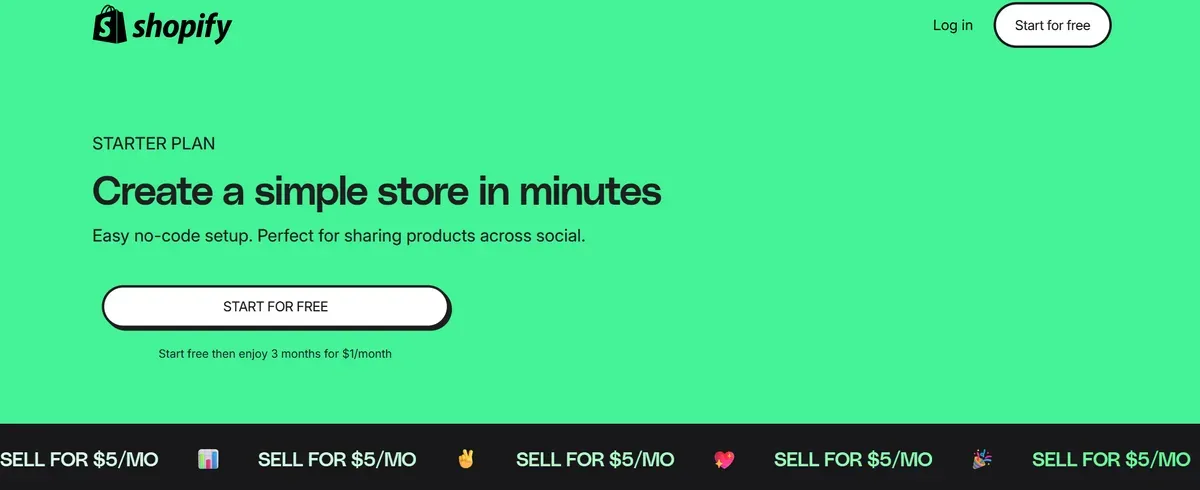
The Shopify Starter Plan offers a very budget-friendly way to begin selling online. At just $5 per month, it enables users to link products via social media or messaging apps instead of building a full online storefront. The plan supports unlimited product listings, basic analytics, and access to the platform’s payment processing system.
However, it lacks key website-building features found in higher tiers, such as custom themes, full blog options, and advanced store customization.
Pricing and transaction fees
| Monthly subscription | $5 per month | Base fee for Shopify Starter Plan |
| Transaction fee (with Shopify Payments) | 5 % per transaction | Applies when using Shopify's built-in gateway |
| Credit card processing (online) | 5 % + $0.30 per transaction | As noted by NerdWallet for Shopify Starter Plan online sales |
| Third-party payment gateway or store credit/gift card usage | Additional platform fees may apply | As per Shopify's help docs, stores created from May 12, 2025, may incur third-party fees when using non-Shopify payments or store credit/gift cards. |
Monthly subscription: $5 USD for the Shopify Starter Plan.
Transaction fee when using the platform’s built-in payment gateway (Shopify Payments): typically 5% per transaction.
For online payments: some sources list “5% + 30¢” for the Starter plan in US mattresses.
Note: The transaction fee here is higher than the typical card-rate fees for higher-tier plans, meaning costs scale more rapidly with volume.
Who is it ideal for?
The Shopify Starter Plan is tailored for:
Social Media Sellers: Individuals leveraging platforms like Instagram, Facebook, or TikTok to promote and sell products.
Messaging App Entrepreneurs: Sellers utilizing tools such as WhatsApp or Facebook Messenger to engage with customers and facilitate purchases.
Side Hustlers and Testers: Entrepreneurs testing product viability with minimal upfront investment.
Budget-Conscious Beginners: Those seeking an affordable entry point into e-commerce without the need for extensive website development.
Here are some Shopify starter plan examples:
Steve Roennfeldt, a YouTube cocktail creator, used the Shopify Starter Plan to successfully pre-sell his book “Steve The Bartender’s Cocktail Guide.” The plan’s simple setup and $5 monthly cost helped him sell directly through social media with ease. His success shows how the Shopify Starter Plan can empower entrepreneurs to launch products and grow their online presence efficiently.
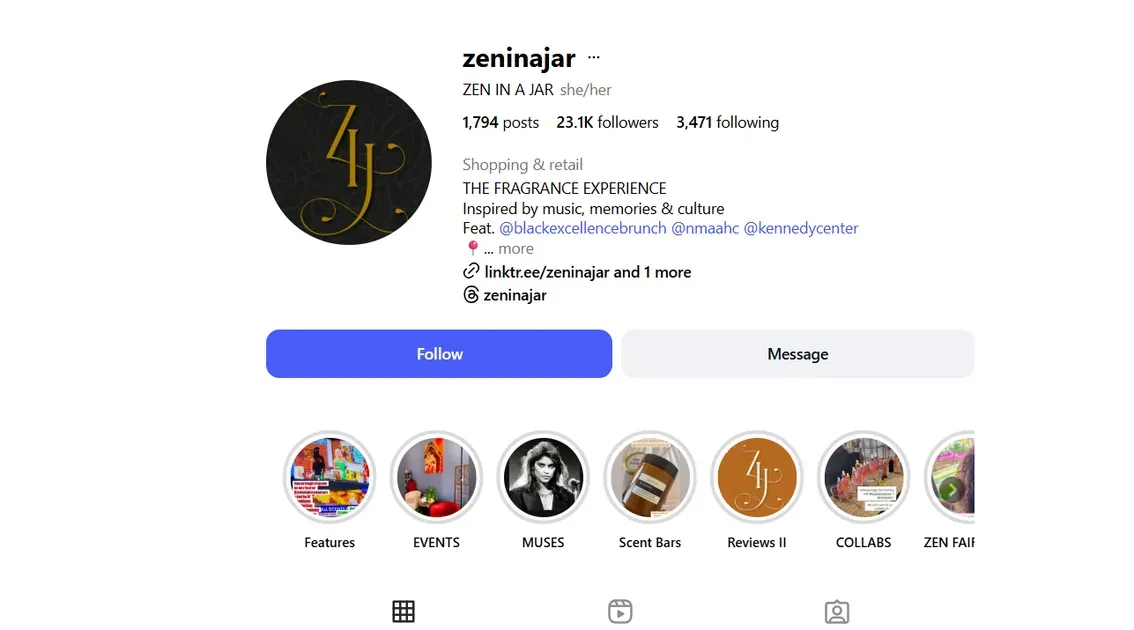
Zen In A Jar, a self-care brand by Airial Clark, began with the Shopify Starter Plan to sell handmade body scrubs and oils. Using product links in her Instagram bio and Stories, she made shopping effortless for followers without creating a full website. The plan helped her handle orders, payments, and customer chats directly through DMs. It's an ideal setup for growing a personal, mobile-first business with minimal cost and effort.
Benefits of Using Shopify Starter Plan
The Shopify $5 plan offers several advantages for entrepreneurs seeking a straightforward and cost-effective entry into online selling.
Easy Entry Point for New Entrepreneurs
This plan provides a user-friendly interface, allowing individuals with minimal technical expertise to set up and manage their online store. With a monthly fee of $5, it offers an affordable solution for those testing product ideas or starting a side hustle.
Perfect Choice for Social Media-Based Businesses
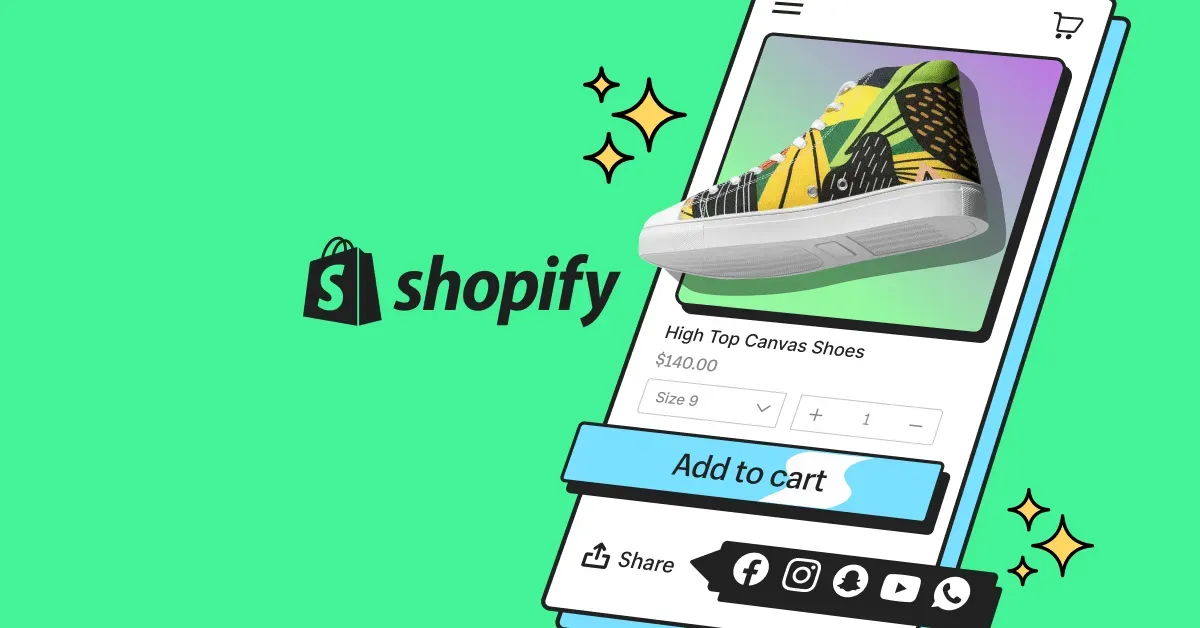
The plan is tailored for sellers who already have an audience on platforms like Instagram, TikTok, Facebook, or messaging apps. It allows sharing product links directly in bios or messages to drive purchases. No full storefront is required. Sellers can focus on content, interaction, and turning followers into buyers without building a full e-commerce website.
Streamlined Selling Process with Minimal Setup Effort
This option cuts out many of the complexities of traditional e-commerce. The dashboard is simple, setup happens fast, and technical overhead is minimal. Core features such as payment processing, order tracking, and product links are included. It removes the need for staff accounts, complex inventory systems, or advanced website themes. It's great for small-scale sellers.
Affordable Option Tailored for E-commerce Beginners
At just $5 per month, the Starter Plan presents a low-risk entry into online selling. It keeps fixed costs very low while providing essential capabilities. Ideal for sellers with a limited budget or uncertain testing phases. The affordability helps keep the focus on product and audience rather than overhead. As a starting point, it helps one avoid major financial commitments until the business model proves viable.
How to Set Up & Use Shopify Starter
Setting up the Shopify Starter Plan is designed to be straightforward, allowing entrepreneurs to begin selling products quickly through social media and messaging platforms. Here's a Shopify starter plan tutorial to get started:
Sign Up & Activate Starter
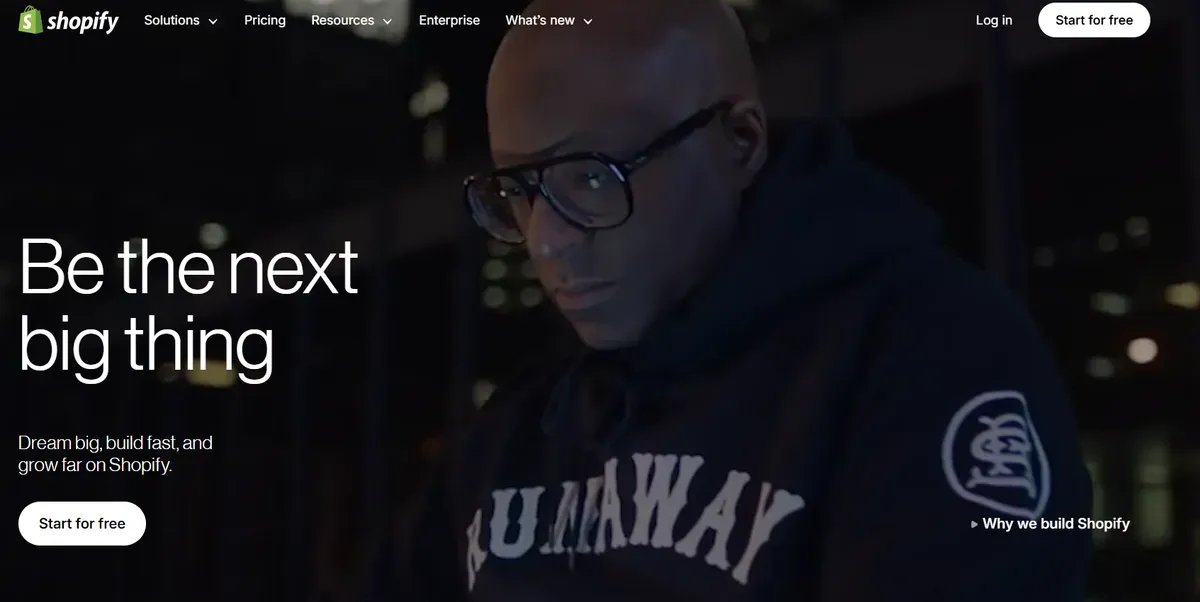
Visit Shopify.com.
Click on "Start for free" to begin the registration process.
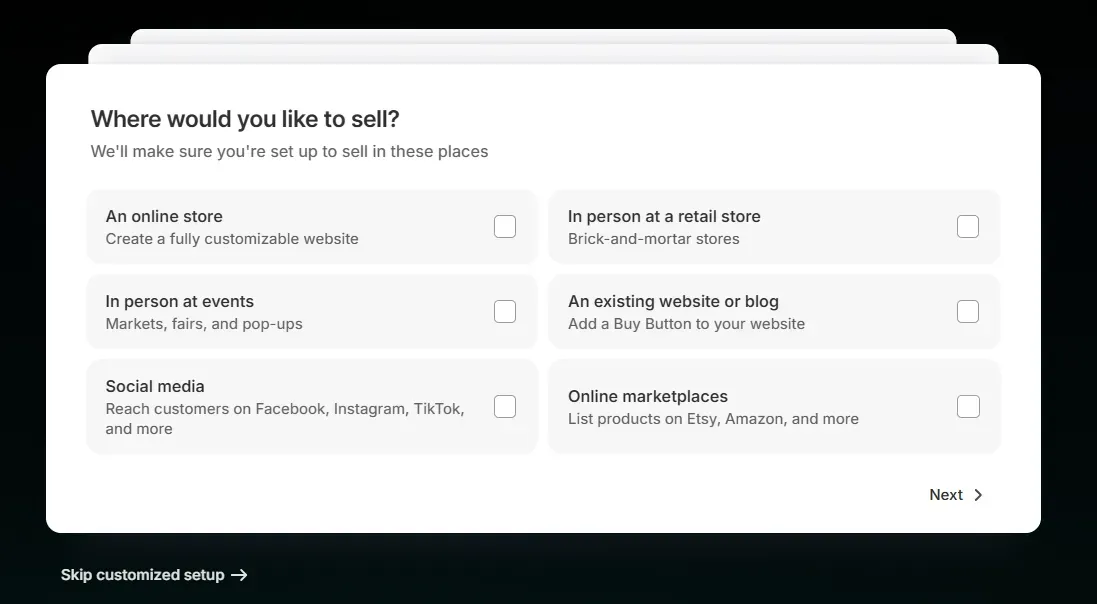
- Provide your email address, create a password, and enter your business details.
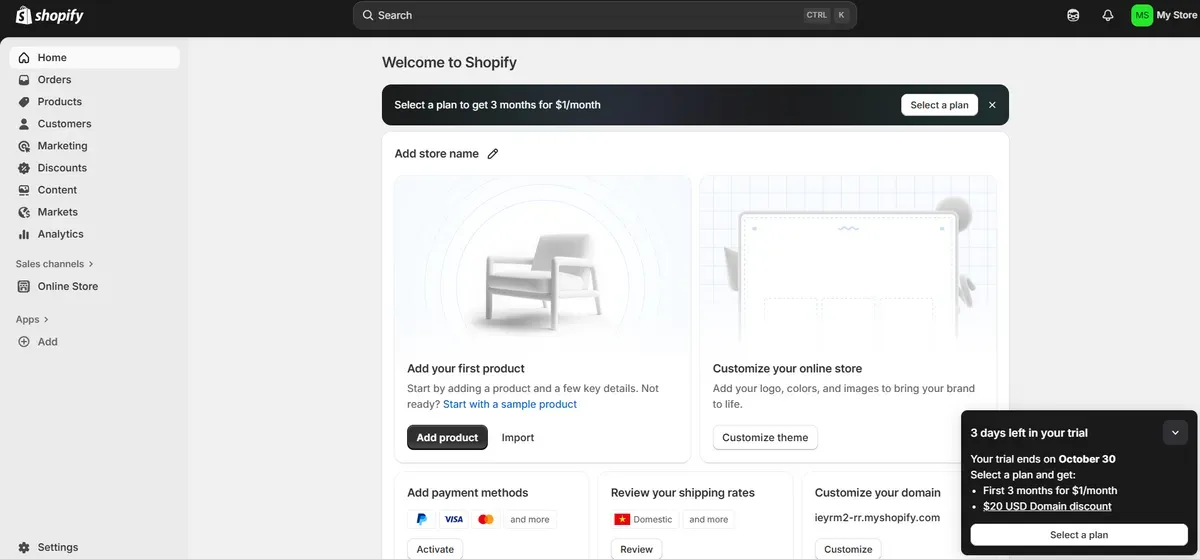
- After completing the setup, you'll be directed to your Shopify admin dashboard.
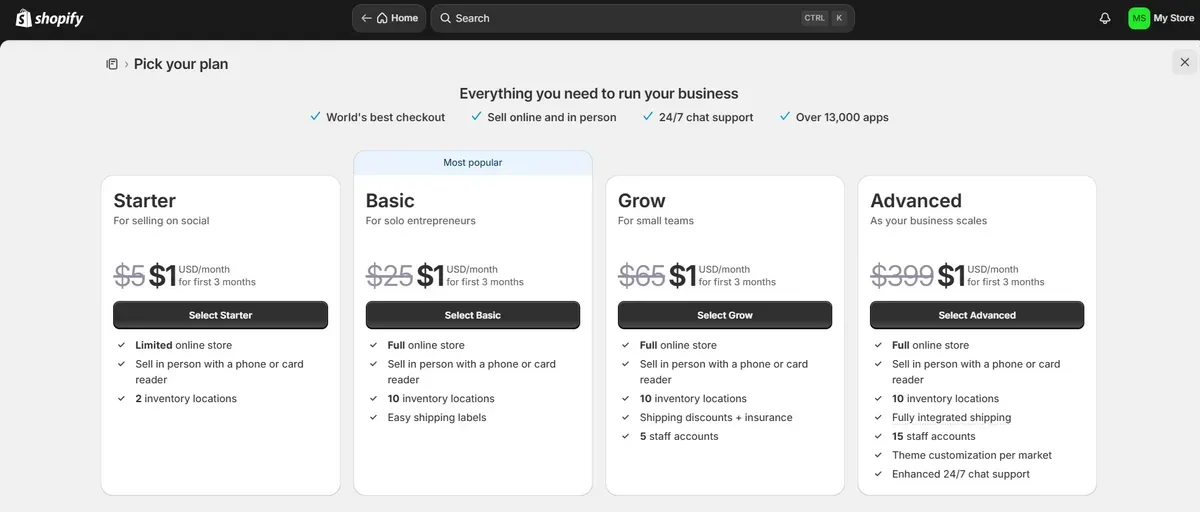
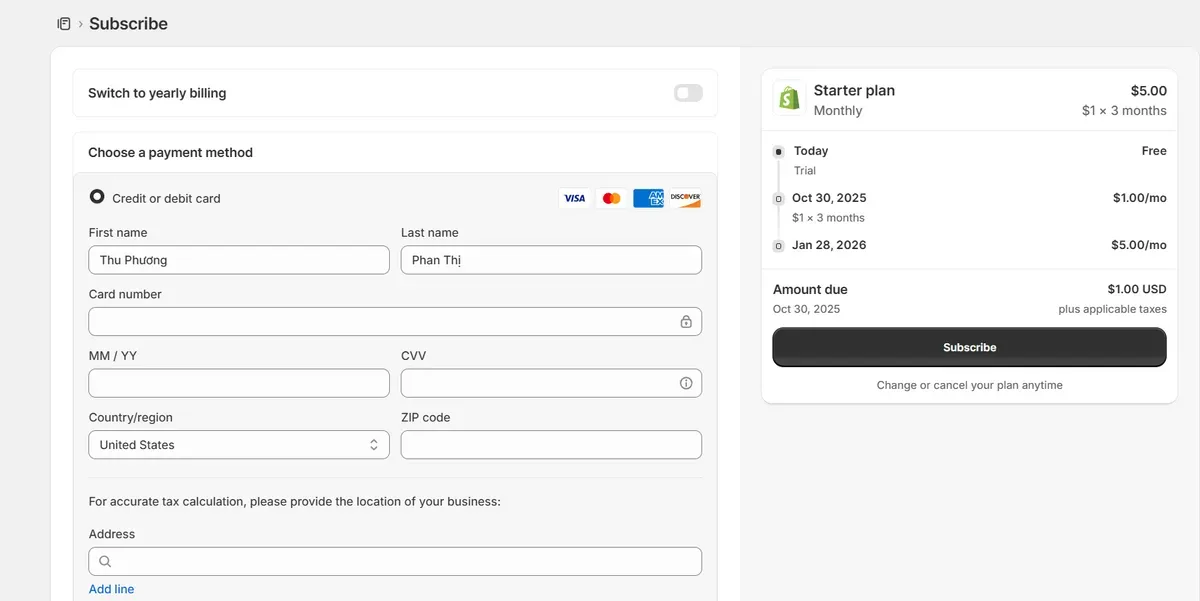
- Click on Select a plan > Select Starter. Fill in the details and click Subscribe.
Setting Up Product Links / Buy Buttons
Navigate to the "Products" section in the Shopify admin panel.
Click "Add product" and fill in the product details:
Title
Description
Images
Pricing
Inventory
Shipping details
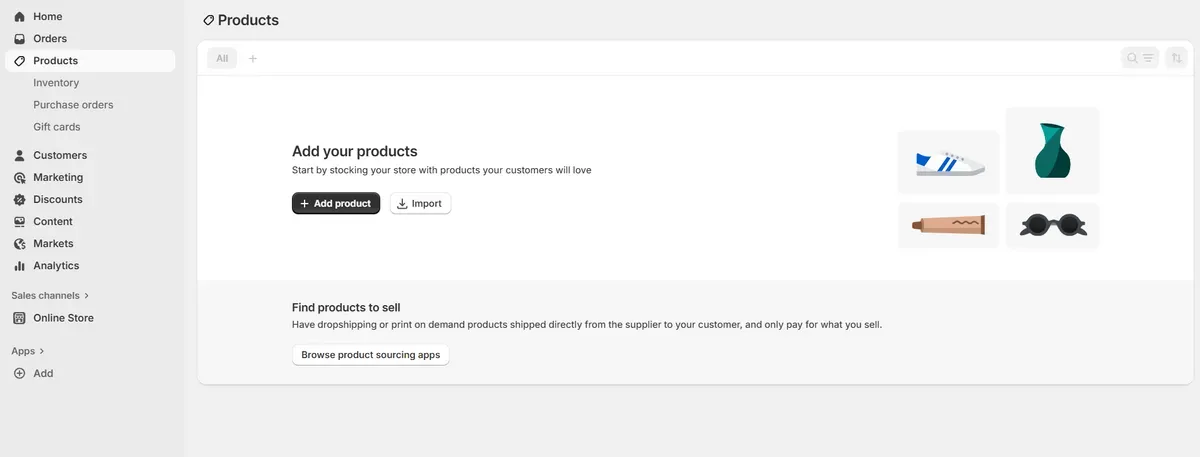
Save each product after entering the information.
To create a product link, use the "Buy Button" feature:
- Go to Shopify App Store > "Buy Button". Click Install.
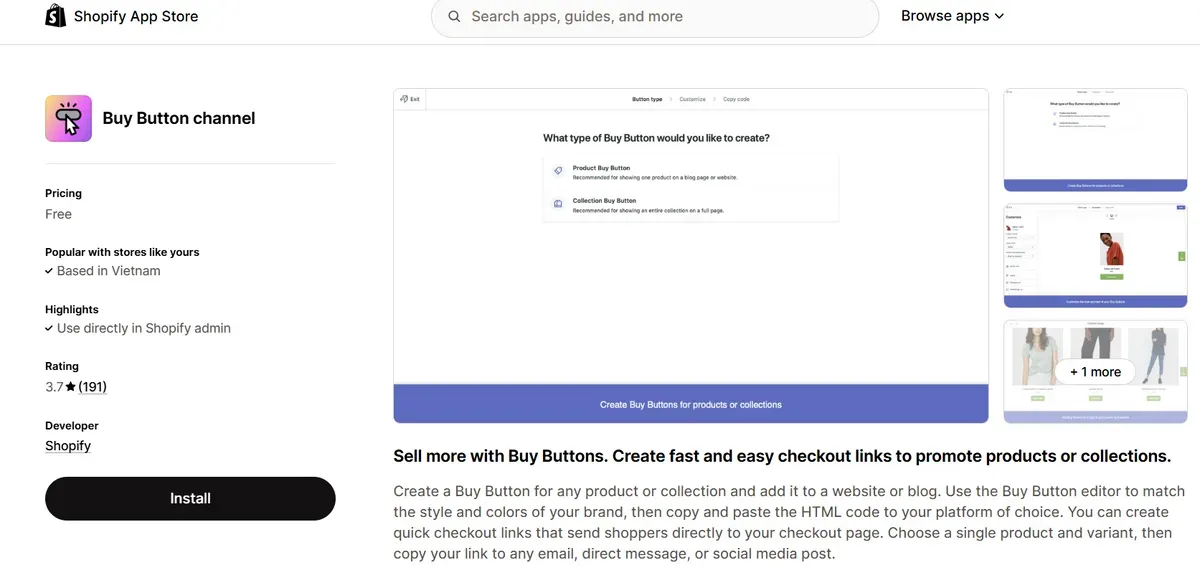
- Click Create a Buy Button > Product Buy Button.
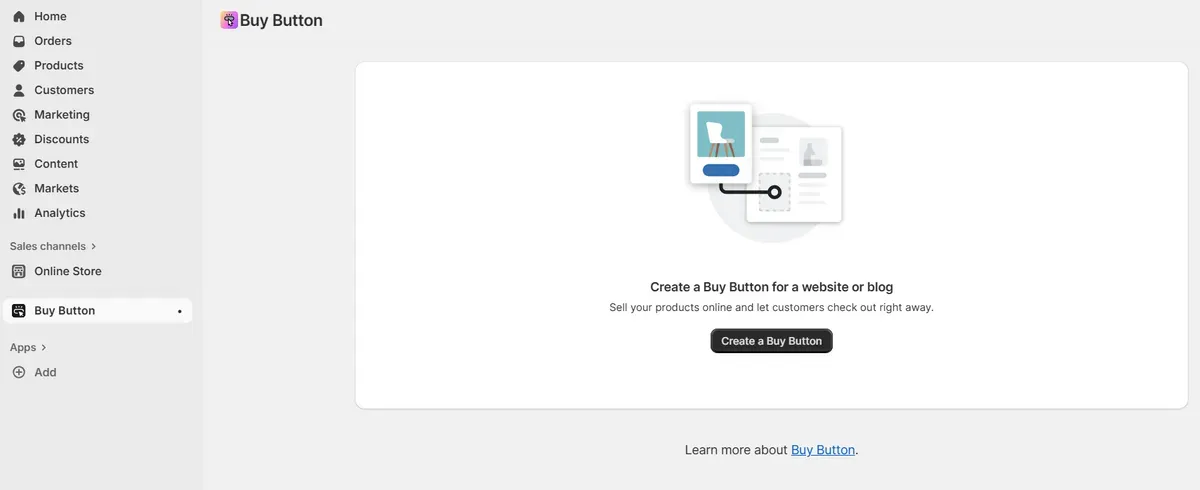
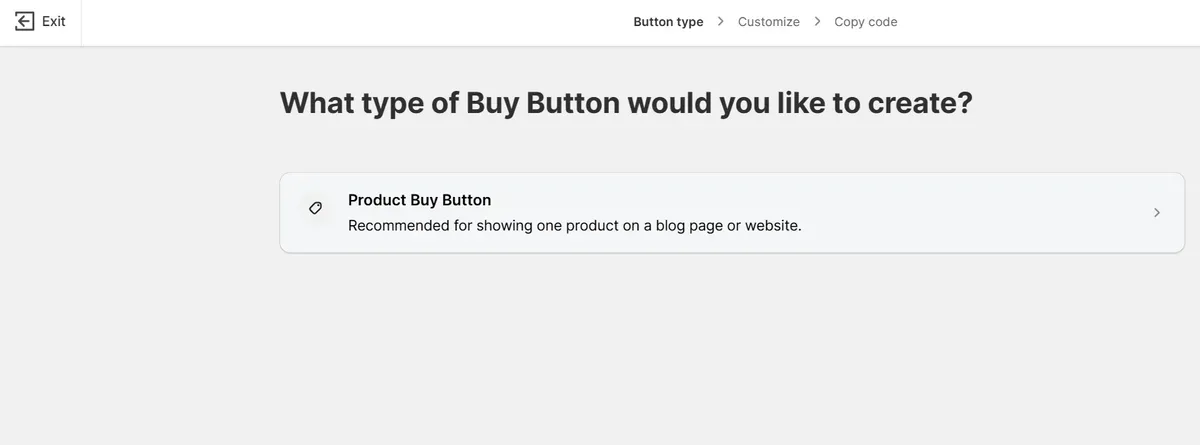
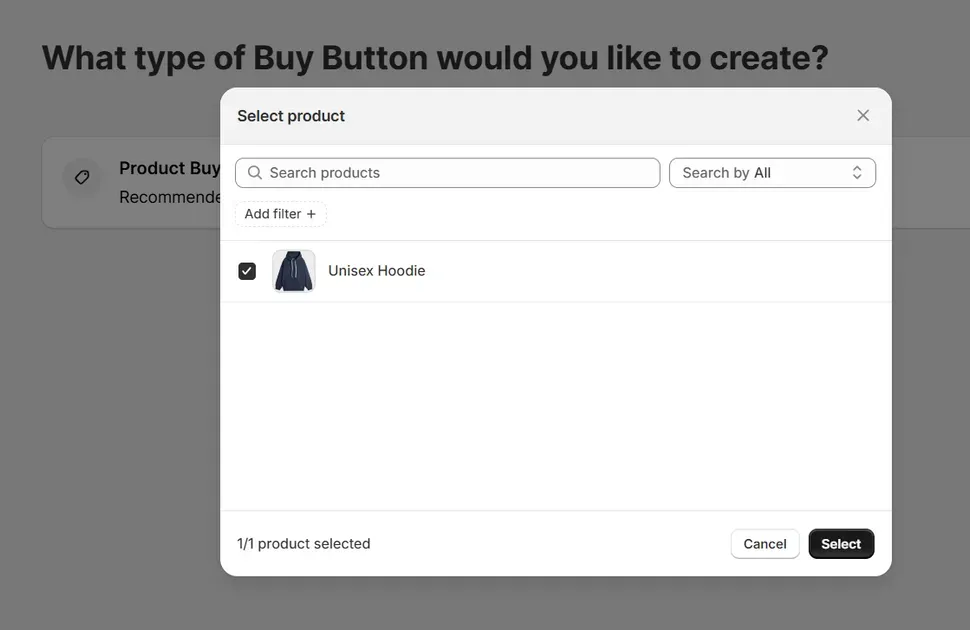
- Select the product you want to create a link for. Click Select.
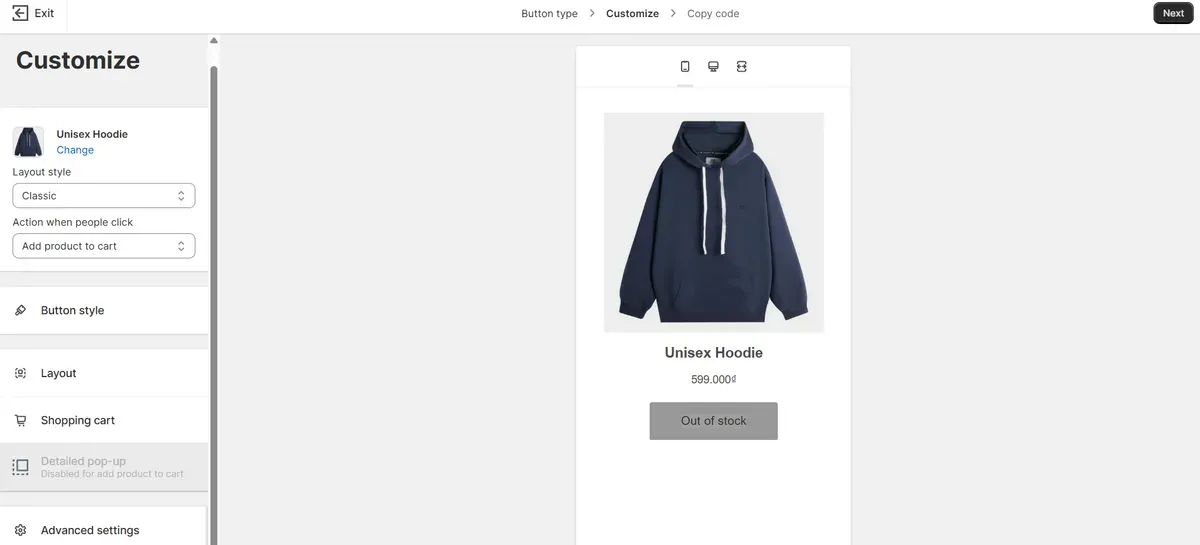
- Customize the appearance and settings as desired. Click Next.
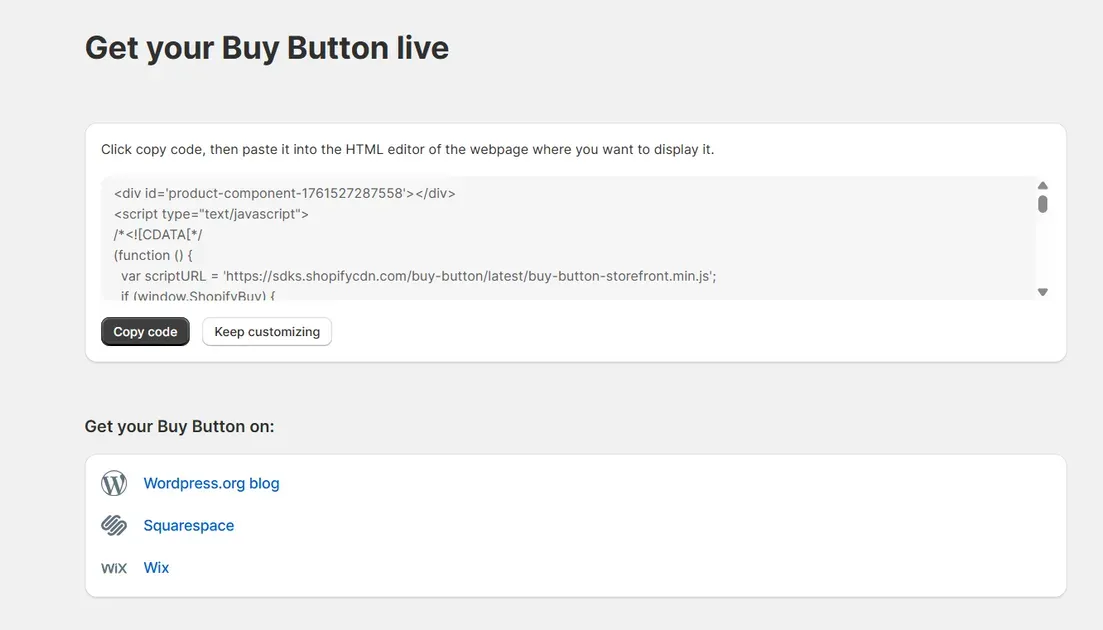
- Click Copy code to get the link for sharing.
Integrating with Social Media & Messaging Apps
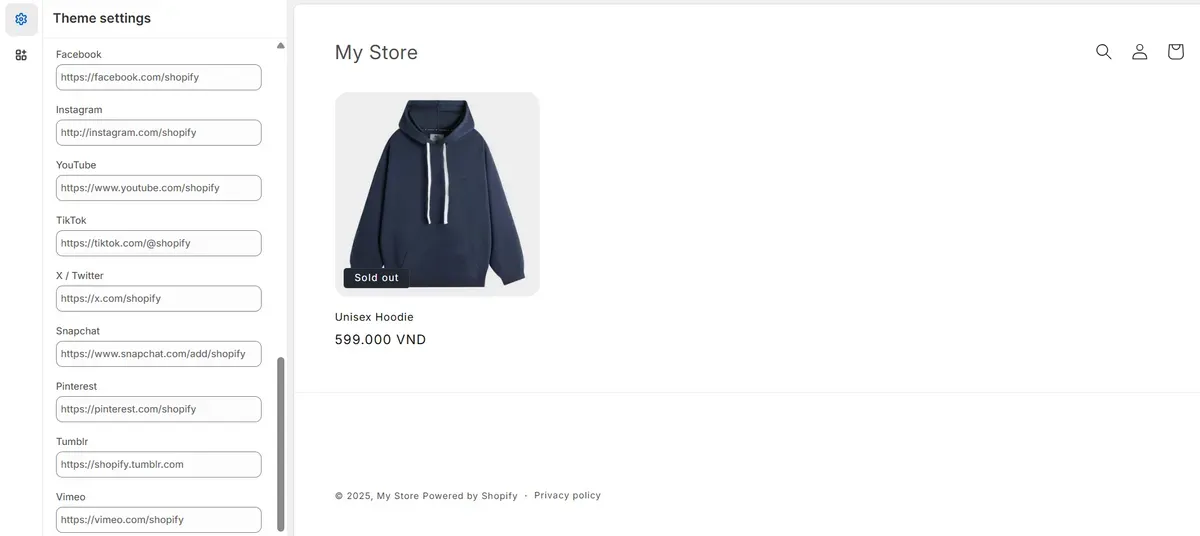
- Go to the Shopify dashboard. Click Online Store > Themes > Customize.
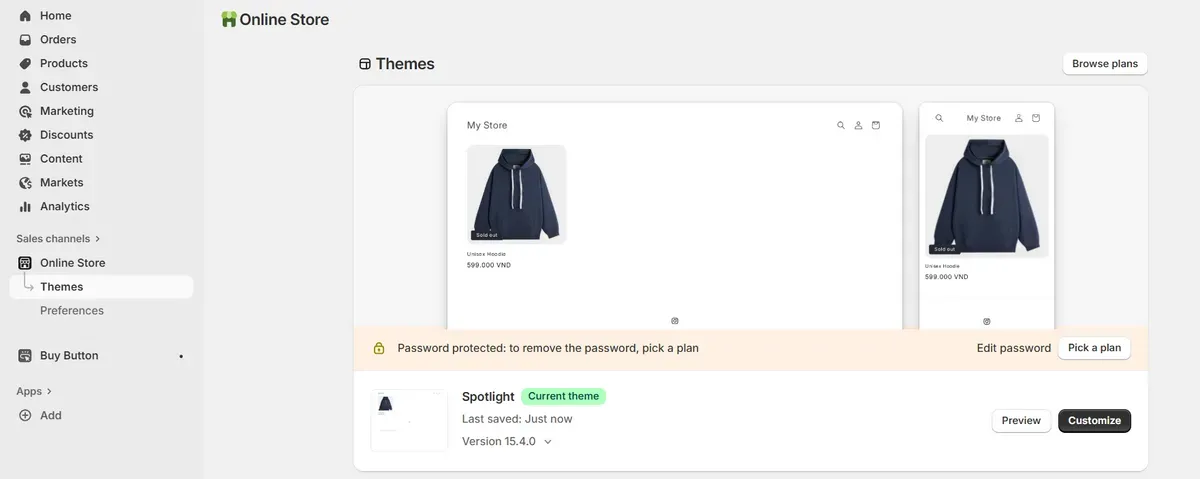
- Under the Theme settings, add the desired social media.
Order & Payment Management in Starter
In your Shopify admin, go to Orders to view and manage customer orders.
Click on an individual order to see details, including customer information, products purchased, and payment status.
To process payments, go to Settings > Payments.
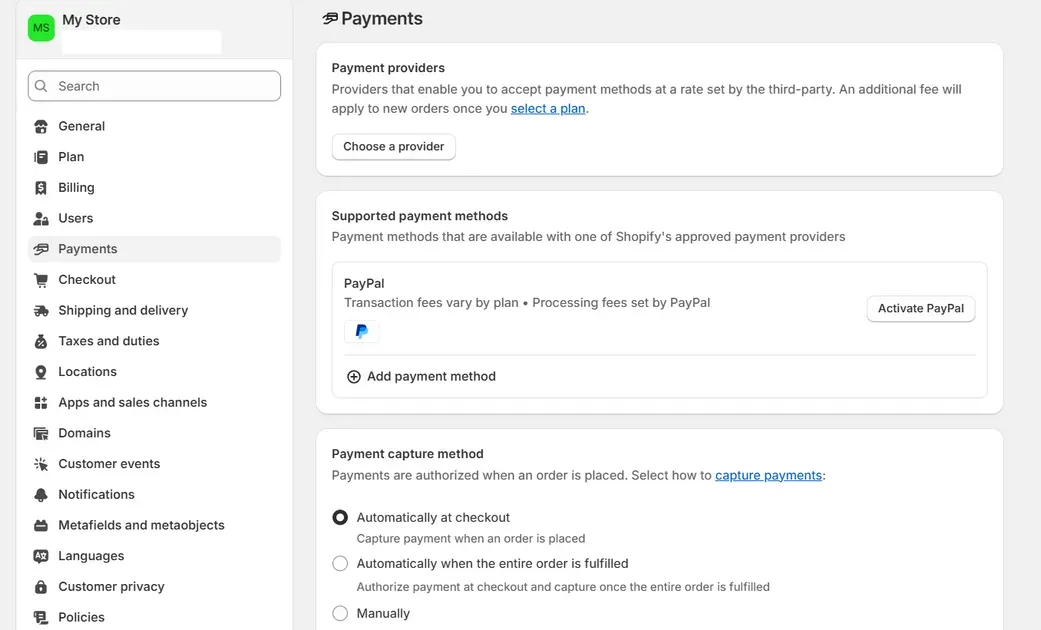
Choose your preferred payment gateway (e.g., Shopify Payments, PayPal) and follow the prompts to set it up.
Once set up, payments will be processed automatically for each order.
Shopify Starter Plan vs Basic Plan: Head-to-Head Comparison
When deciding between the Shopify Starter Plan vs Basic, it's essential to understand how each aligns with specific business needs. Here's a detailed comparison to guide the decision-making process.
| Monthly subscription | $5 per month | Base fee for Shopify Starter Plan |
| Transaction fee (with Shopify Payments) | 5 % per transaction | Applies when using Shopify's built-in gateway |
| Credit card processing (online) | 5 % + $0.30 per transaction | As noted by NerdWallet for Shopify Starter Plan online sales |
| Third-party payment gateway or store credit/gift card usage | Additional platform fees may apply | As per Shopify's help docs, stores created from May 12, 2025, may incur third-party fees when using non-Shopify payments or store credit/gift cards. |
Pricing & Fee Differences
| Feature | Shopify Starter | Shopify Basic |
|---|---|---|
| Monthly Subscription | $5 USD | $39 USD |
| Transaction Fees | 5% per sale | 2.9% + 30¢ per online sale |
| Free Trial | 3 days | 3 days |
The Starter Plan offers the lowest monthly cost. It charges a higher transaction fee (~5%) for sales using the built-in gateway. The Basic Plan increases the monthly cost but lowers per-transaction fees (~2.9% + $0.30) for online payments. This means the Basic Plan becomes more cost-effective once volume or average order value climbs.
Feature Differences
| Feature | Shopify Starter | Shopify Basic |
|---|---|---|
| Online Store | No | Yes |
| Custom Domain | No | Yes |
| Discount Codes | Yes | Yes |
| Staff Accounts | No | Up to 2 |
| App Store Access | No | Yes |
| Reporting & Analytics | Basic | Advanced |
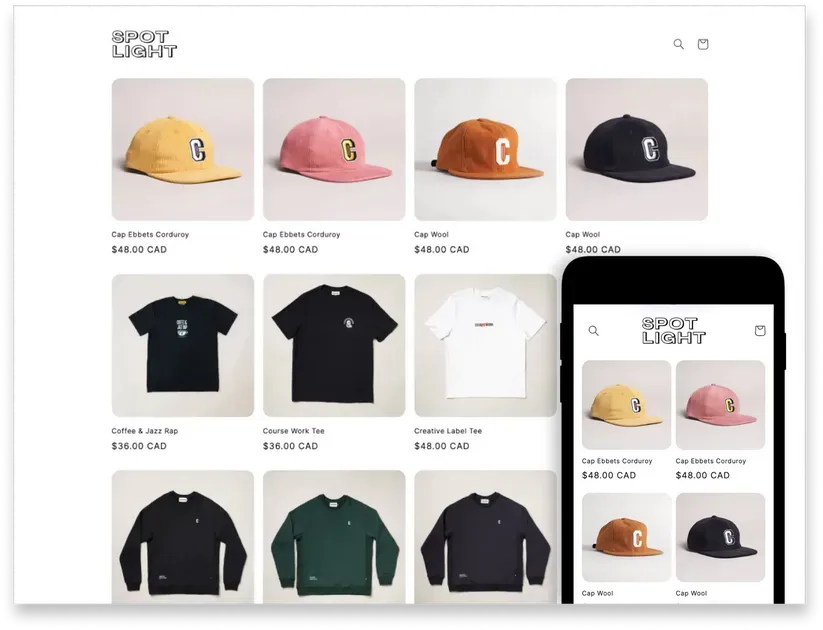
Shopify Starter Plan: Offers a simplified setup with essential tools for selling via social media and messaging apps. It includes the Spotlight theme, basic reports, and Shopify POS Lite
Shopify Basic Plan: Provides a fully customizable online store, access to over 100 themes, discount codes, advanced reporting, and support for up to 10 inventory locations
When Basic Outpaces Starter
The Basic Plan is more suitable for businesses that:
Require a fully functional online store with a custom domain.
Need advanced reporting and analytics tools.
Plan to scale operations with multiple staff accounts and inventory locations.
Desire the flexibility to offer discount codes and promotions.
When Starter Is Still a Better Fit
The Starter Plan remains a viable option for:
Entrepreneurs testing product ideas with minimal investment.
Sellers focusing on social media platforms like Instagram, Facebook, or TikTok.
Individuals seeking a straightforward setup without the need for a full-fledged website.
Budget-conscious startups aiming to minimize upfront costs.
Pros & Cons of Using Shopify Starter Plan
The Shopify Starter Plan offers a streamlined approach to online selling, catering to specific business needs. Understanding its advantages and limitations is crucial for determining its suitability.
Pros:
Very low monthly cost keeps upfront expenses to a minimum.
Quick setup with basic tools and link-based selling means less time wasted on configuration.
Ideal for social media channels and messaging apps, selling without a full storefront.
Minimal technical overhead: fewer pages to design, fewer features to manage.
Great for testing a new product idea or side-hustle without a large commitment.
Cons:
High transaction fees (around 5%) erode margin as sales volume grows.
No full custom storefront: advanced design, blog pages, and in-depth marketing tools are missing.
Limited scalability: as the business grows, the plan’s restrictions may hinder expansion.
The lack of a full website may affect brand perception and SEO capabilities.
Some merchants report checkout or product-listing constraints when using the starter plan.
Is Shopify Starter Plan Right for You?
The Shopify Starter Plan is an excellent choice if you're looking to sell products directly through social media, messaging apps, or a simple online storefront. At just $5 per month, it's one of the most budget-friendly options for entrepreneurs. This plan is ideal for testing product ideas, reaching audiences via platforms like Instagram and Facebook, and managing sales with minimal setup.
However, if you require advanced features like a fully customizable website, staff accounts, or in-depth analytics, you might consider upgrading to a higher-tier plan. To read the Shopify starter plan review, visit Shopify's official Starter Plan page.
FAQs About Shopify Starter Plan
What transaction fees apply under Starter?
The Starter plan charges a transaction fee of about 5% when using Shopify Payments. Credit card processing also applies (e.g., 5% + $0.30 in the U.S.).
Can I add staff accounts with Starter?
No, the Starter Plan does not include staff accounts. To add staff, consider upgrading to the Grow plan or higher.
Is Shopify Starter available in all countries?
Shopify Payments, the default payment gateway, is available only in select countries. If Shopify Payments isn't supported in your country, third-party payment gateways may be used.
Can I sell in-person or use POS with Starter?
The Starter Plan includes basic in-person selling features at no extra cost. For advanced features, consider adding Shopify POS Pro for an additional monthly fee per location.
Does Starter support Shopify apps or integrations?
Yes, you can install many apps and connect sales channels under the Starter plan. However, some premium features, themes or integrations may require upgrading.
Final Thoughts
The Shopify Starter Plan offers an affordable way to begin selling online without building a full eCommerce website. It’s ideal for creators, small business owners, or anyone who wants to sell directly through social media or chat links. With only $5 a month, it provides all the essentials to test products and start earning. However, as sales grow, upgrading to a higher plan may unlock better tools and lower fees. Thinking about starting small? The Shopify Starter Plan could be your simplest step into online selling success.

Hey! I'm Linda Bui. Join me as we explore tips and tutorials about Shopify apps and Shopify themes for your Shopify store.
Start Building Trust Today
Install the Product Reviews app to improve your store's credibility and boost sales with real customer reviews.
Get Started with Zero CostWhat to not miss out on our blog
Gain insightful knowledge and invaluable experiences from dedicated experts.
_1200x630.webp)
What Is Shopify Collabs? How It Works and How Brands Use It in 2026
Discover what is Shopify Collabs, how it automates affiliate tracking, and how to use it to scale influencer marketing from your dashboard. Read right now!
_1200x630.webp)
_1200x630.webp)
Newsletter
Get all the stories you need-to-know from the most powerful name in news delivered first thing every morning to your inbox