10 Shopify URL Structure SEO Tips to Improve Rankings
Why do some Shopify stores rank higher with similar products and content? One often overlooked factor is Shopify URL structure. Clean, logical URLs help search engines understand pages faster and improve click-through rates from search results. When URLs are cluttered or inconsistent, even strong content can struggle to perform. This guide breaks down practical SEO tips to optimize Shopify URLs, reduce indexing issues, and strengthen overall site visibility. Let's apply these strategies to build a clearer path for both search engines and customers!
How Shopify URL Structure Works by Default
Shopify uses a fixed URL pattern for each type of page on a store. These default paths help keep URLs consistent and predictable across the platform, even though they cannot be fully customized beyond the final handle.
Product Page URL
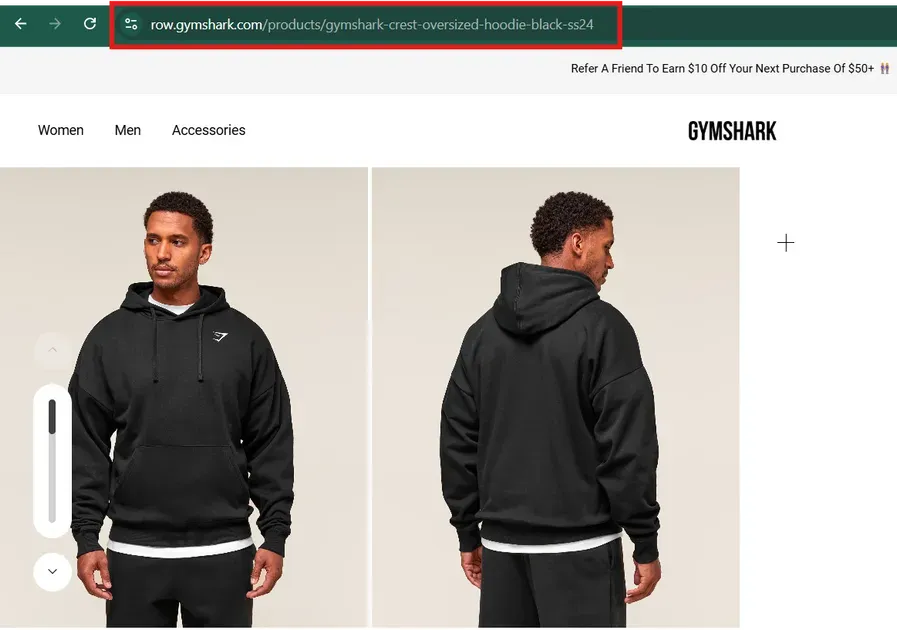
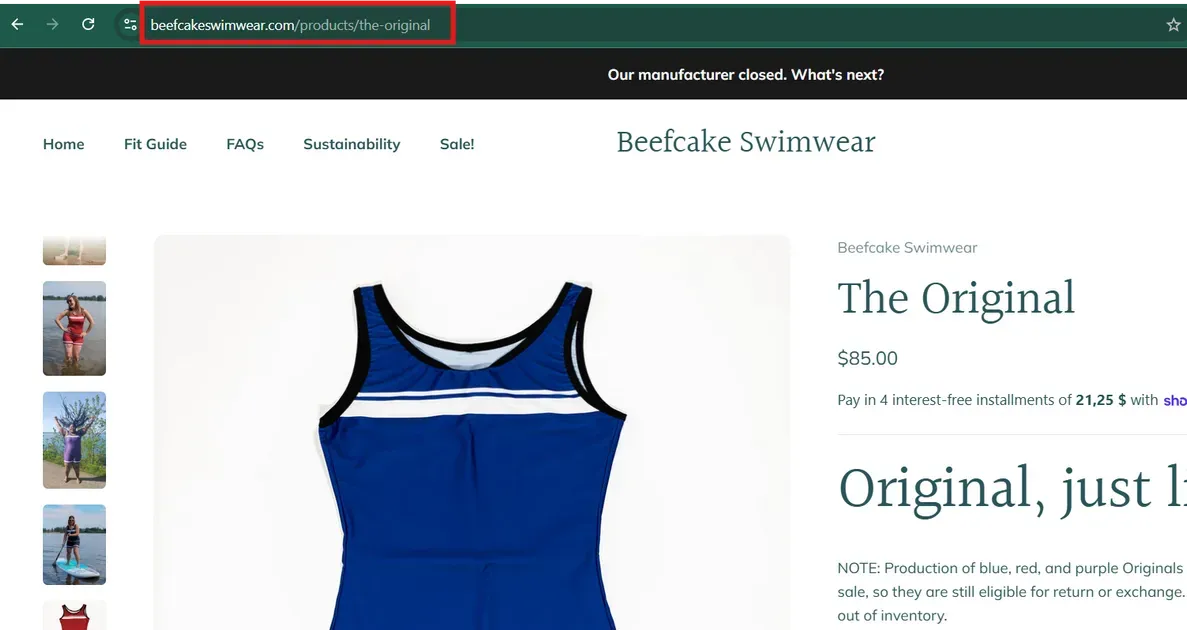
Product pages in Shopify live under the /products/ directory. The store name comes first, followed by /products/, and then the product handle. This handle is editable, but the /products/ folder cannot be removed.
For example: yourstore.com/products/blue-tshirt. When a product appears in a collection, Shopify may show a longer path like /collections/summer/products/blue-tshirt, yet the canonical URL points to the simpler structure.
Blog URL
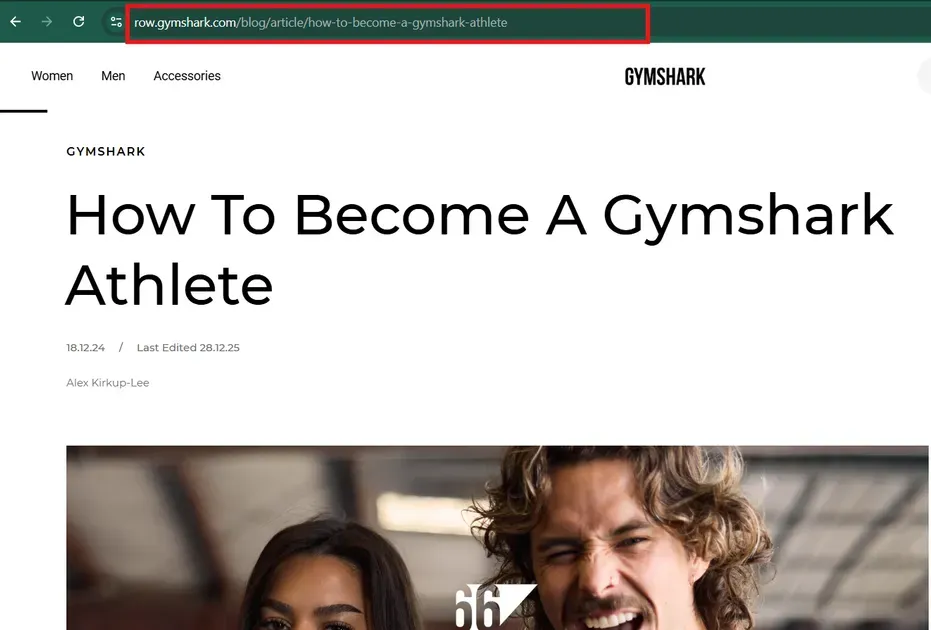
Blog content follows a nested structure under /blogs/. Each blog gets its own handle, and each post also receives a unique handle within that blog. This creates URLs such as yourstore.com/blogs/news/post-title. Shopify does not allow editing the /blogs/ prefix, only the blog name and individual post slug.
Collection and Tag URL
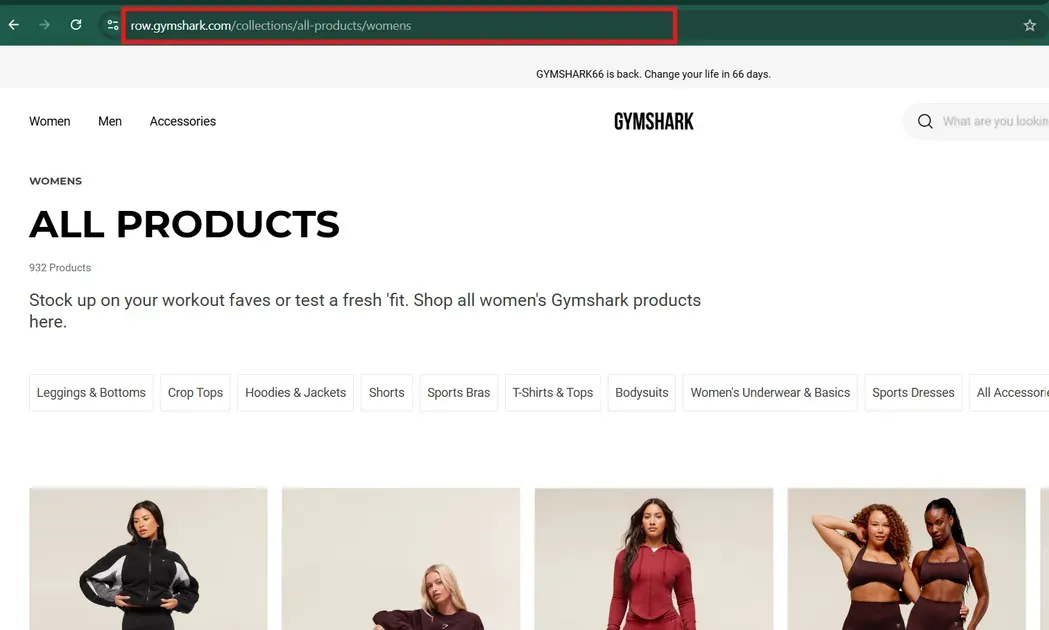
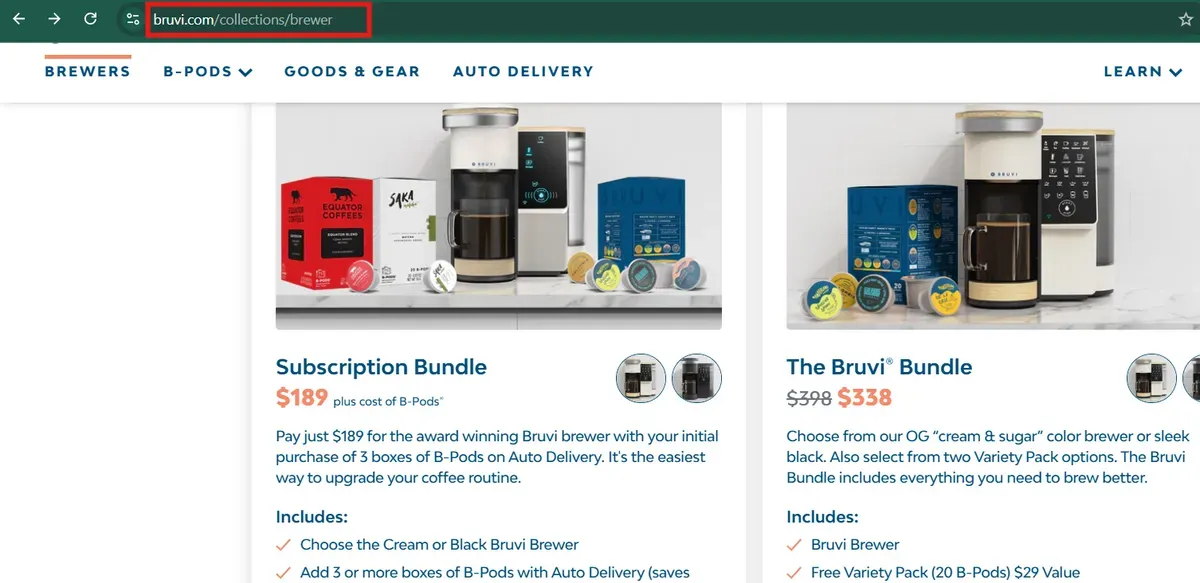
Collections use the /collections/ folder and a defined handle such as yourstore.com/collections/sale. Within a collection, Shopify can append tag filters like /collections/sale/usa-flag, which shows products tagged with that label. These tag URLs help visitors filter products but are less ideal for linking externally.
Page URL
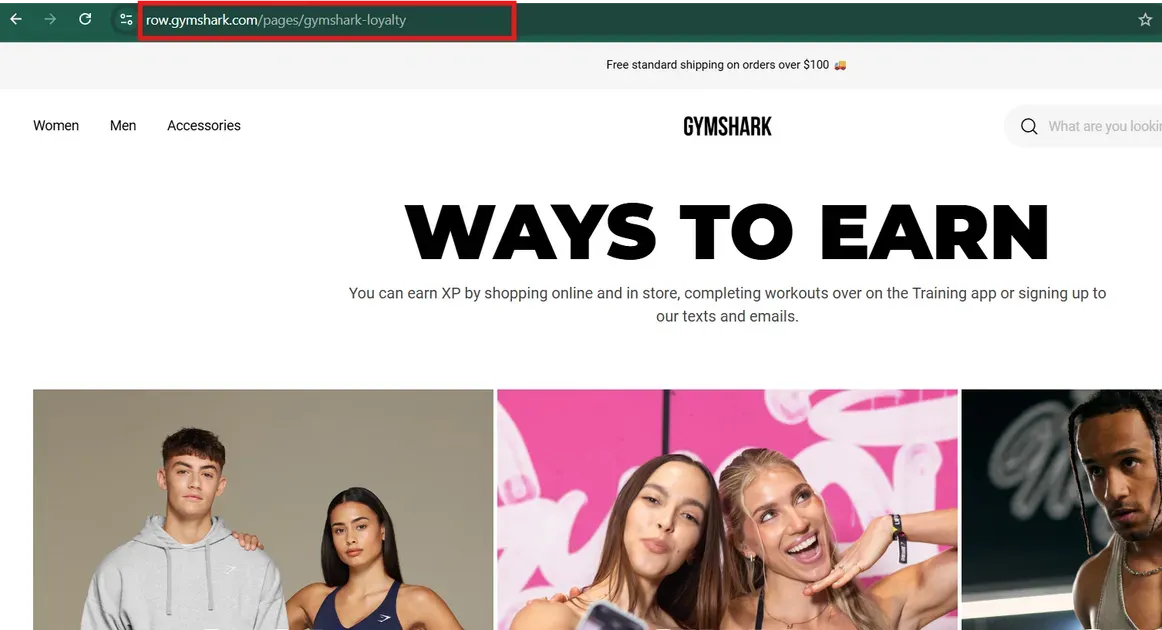
Static pages such as About, Contact, and Policy pages use the /pages/ directory. A simple path like yourstore.com/pages/shipping helps visitors find standalone content easily. Only the final slug after /pages/ is customizable in the Shopify admin.
Why Shopify URL Structure Matters for SEO and Integrations
A clear Shopify URL structure supports better search engine rankings and smoother third-party integrations. Search engines use URLs to understand page hierarchy and content relevance, so clean and keyword-rich URLs help pages get indexed and ranked more effectively. Descriptive paths also make it easier for analytics tools and marketing platforms to track performance and attribute traffic correctly.
Below are the key reasons why Shopify URL structure matters:
SEO signals: URLs with relevant words help search engines know what a page is about.
User trust: Readable links inspire confidence and often improve click-through rates from search results.
Crawl efficiency: Logical, consistent URLs make it faster for bots to find and index pages.
Integration tracking: Tools like analytics, advertising platforms, and CRM systems use URL patterns to measure engagement.
Internal linking: A predictable Shopify URL structure boosts linkage within the store and strengthens SEO signals.
10 Shopify URL Structure Tips for Better Rankings
To improve SEO, Shopify URLs must do more than follow platform rules. Every URL should help search engines and site visitors understand the content clearly. The following tips show you key ways to make URLs clearer, more relevant to keywords, and more effective for organic traffic:
1. Use Short, Descriptive, Keyword-Focused URL Handles
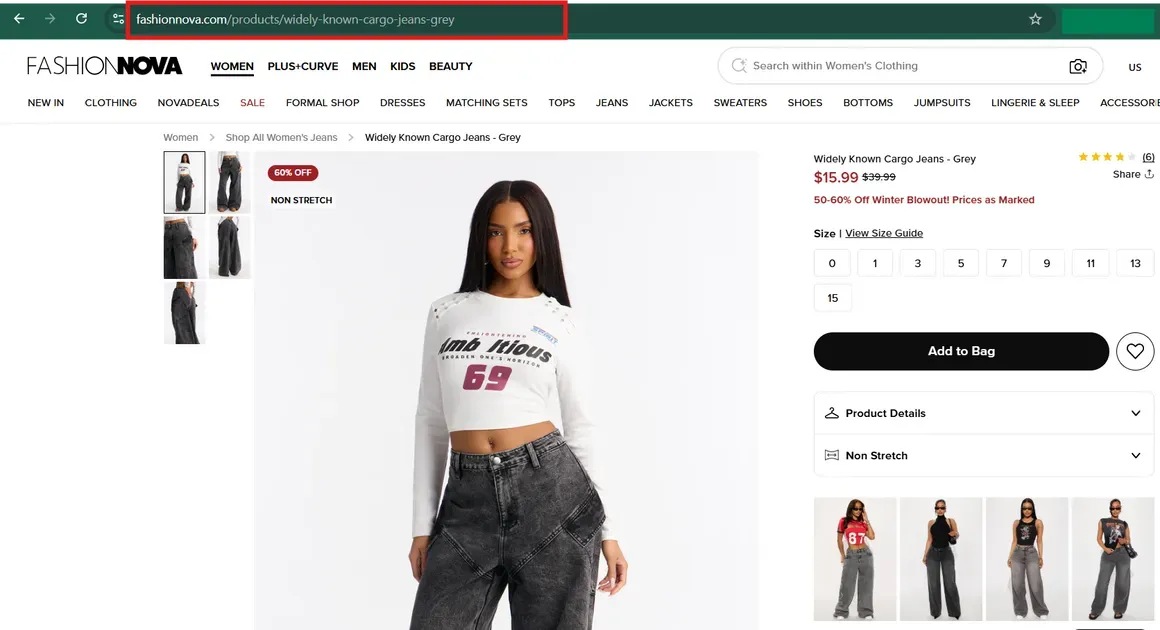
Short, clear Shopify store URL handles help both search engines and shoppers understand page intent at a glance. Aim to include the primary keyword phrase that best reflects the page’s topic — for example, /products/red-cotton-tshirt instead of a vague slug with random words or product codes. Short URLs are easier to read, easier to share, and often perform better in search result snippets.
Shopify automatically inserts hyphens between words and uses lowercase letters in slugs, which is ideal for SEO clarity. Remove filler words like “and,” “the,” or “best” when they don’t add meaning. Keep slugs concise and focused on what people are most likely to search for.
Good URL naming also improves user trust when URLs appear in search results. A clear, keyword-rich URL reinforces context and relevance for the page content.
2. Keep Shopify’s Default URL Folders
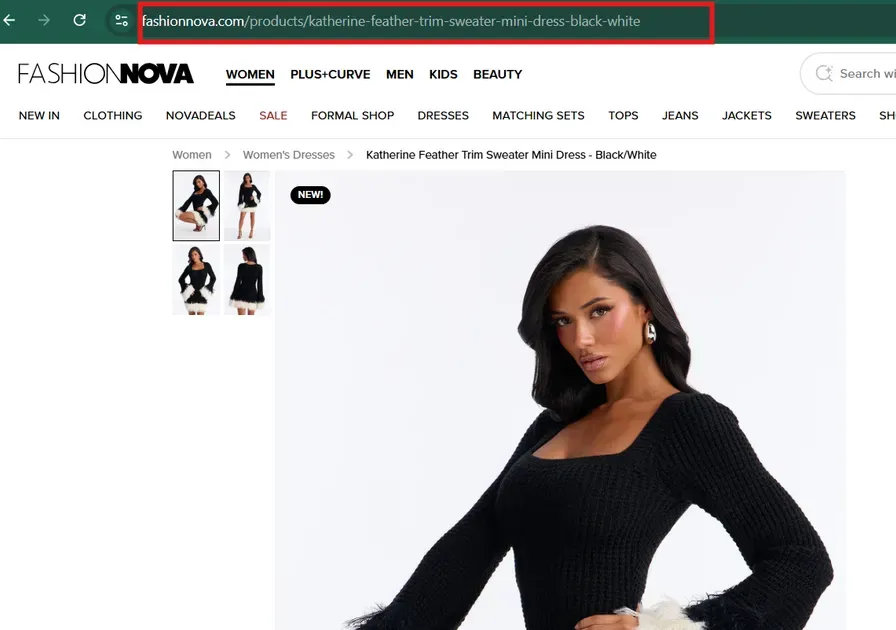
Shopify enforces certain base folders that cannot be removed, such as /products/, /collections/, and /pages/. Accepting this Shopify URL structure helps avoid errors and keeps the site organized. Search engines understand these defaults well, so sticking with them delivers consistent indexing.
Altering the base folders is not possible without advanced custom solutions like headless setups. Focus instead on optimizing what you can control for best SEO results.
3. Optimize Product URLs for Primary Keywords Only
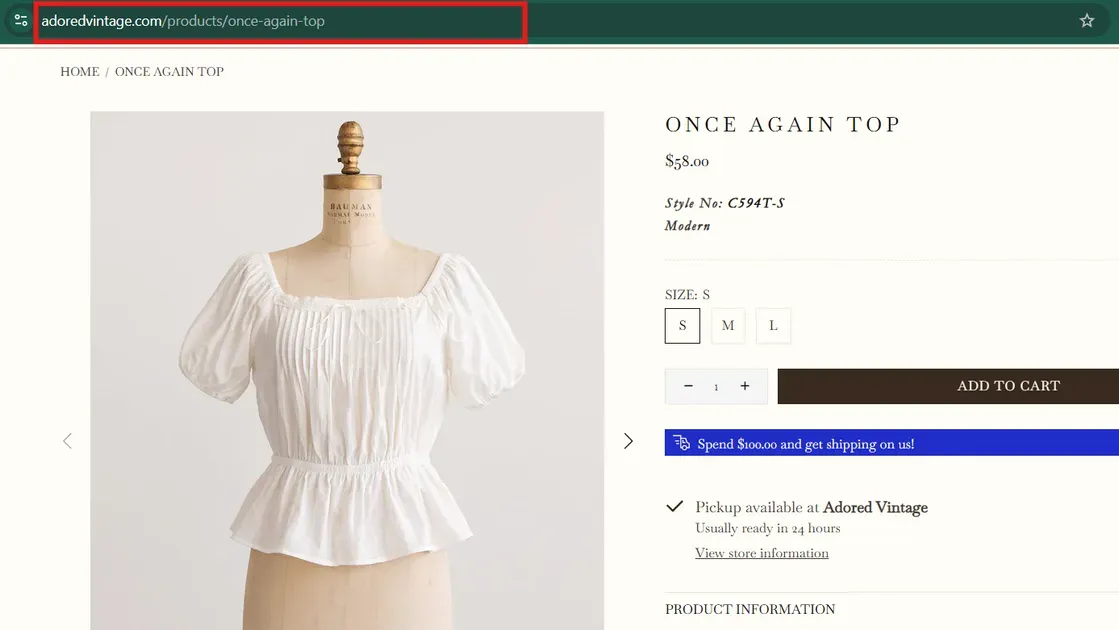
Each product URL should target the main keyword that aligns with high-value search intent. Avoid stuffing multiple secondary terms into the handle. For example, a product selling "navy cotton tee" should have navy-cotton-tee rather than a long, awkward slug.
Clean, focused URLs communicate value clearly to search engines. Keep them under roughly 60 characters when possible to improve scannability and avoid truncation in search results.
4. Prevent Duplicate URLs from Collection Paths
Shopify will sometimes display the same product under different collection paths. For example:
/collections/sale/products/organic-hoodie/collections/winter-gear/products/organic-hoodie
Both URLs show the same product, creating duplicate URL versions that can confuse search engines.
To prevent duplicate content issues, ensure canonical tags point to the preferred product URL — usually the simple /products/ path. Canonical tags tell search engines which version is authoritative for indexing and ranking.
Also, audit internal links so that primary product URLs receive most of the link weight rather than multiple collection-based paths. This reinforces which URL search engines should prefer.
5. Use Canonical Tags Correctly in Shopify
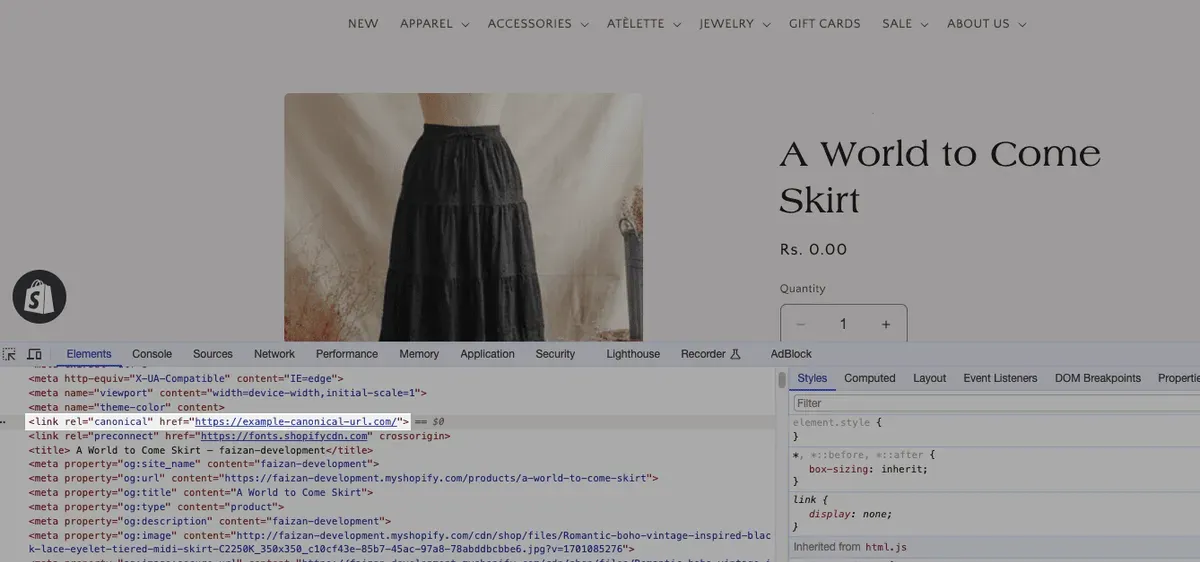
Canonical tags are essential on Shopify because the platform can generate multiple URL versions for the same content. These tags help search engines understand which page is the true version that should be indexed and ranked.
Shopify themes normally include default canonical tags for key pages like products and collections. Make sure your theme contains a proper <link rel="canonical"> HTML reference so that search engines know where to consolidate ranking signals.
If duplicate versions of the same page exist — for example, shop filters, variants, or pagination — canonical tags point back to the clean, main URL. This prevents SEO value from spreading thin across multiple versions.
In rare cases where default canonical tags don’t match your SEO strategy, use theme editing or metafields to set specific canonical URLs. This requires careful testing.
6. Create SEO-Friendly Blog and Page URLs
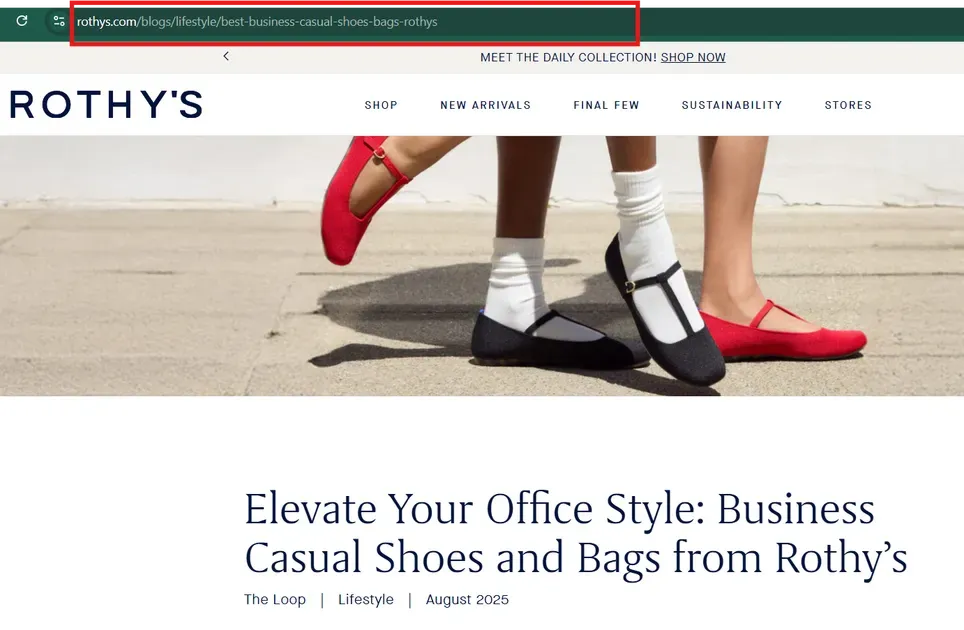
Shopify uses a fixed folder system such as /products/, /collections/, /pages/, and /blogs/. Within that framework, the only part you can control is the URL handle — the words after the folder. Optimizing that part is critical for both search engines and users.
Start by keeping URLs short and readable. Good URLs clearly describe the content of the page, which helps search engines understand intent and improves click-through rates in search results. Aim for URLs that use the main keyword for the page and avoid random numbers or unnecessary words.
Examples of SEO-friendly URLs:
Good:
/blogs/fall-fashion-trendsBad:
/blogs/12345
As you can see, short, descriptive URLs are easier to read and more relevant to user queries. This practice also improves user experience and builds trust with search engines.
In Shopify admin, you can edit the URL handle in the Edit Website SEO section for any page or blog post. This gives you control to include target keywords that matter most to your audience.
7. Set Up 301 Redirects When Changing URL Handles
When a URL handle is changed on a live page, planting a 301 redirect from the old path to the new one preserves SEO value and prevents broken links. Shopify prompts for automatic 301 redirects when edits occur, and this should remain enabled.
301 redirects transfer most ranking signals from the old URL to the updated one. This step also improves user experience by stopping 404 errors that hurt engagement and ranking performance.
8. Avoid URL Parameters for SEO-Critical Pages
Dynamic URLs with parameters (such as ?ref=, ?sort=, or session IDs) are common in e-commerce, but they create duplicate content and dilute SEO signals. Search engines can index each variant separately, wasting crawl budget and splitting ranking authority.
For SEO-critical pages like category, product, and blog posts, keep the path static and clean. Avoid linking to URLs with query strings from navigation menus or internal promotions. Instead, use static routes like /collections/summer-sale or /products/running-shoes.
If parameters are needed for tracking or sorting, use Google Analytics UTM tags only in external campaign links. Inside the site structure, focus on flat, stable URLs so bots can index and rank the right content.
Some SEO tools can help detect parameter-based duplicates in your sitemap. Regularly audit these and apply canonical tags pointing to the clean URL when needed.
9. Align URL Structure with Internal Linking Strategy
Shopify URL structure and internal links work together to signal content priority to search engines. A clear, logical link hierarchy helps bots discover your deepest pages and boosts ranking potential across the site.
For example, link blog content to relevant product pages or collection sections to reinforce topical relevance. This encourages Google to associate related pages and share ranking signals internally.
Breadcrumb navigation provides both users and search bots with contextual paths. Breadcrumbs use simple URL sequences (Home > Collection > Product) that reflect logical site structure.
Consistent internal linking also helps prevent orphan pages - pages with no inbound links. These are harder to find and unlikely to rank. Connect all important URLs through menus, related content, and footer links.
10. Test and Monitor Shopify URLs with SEO Tools
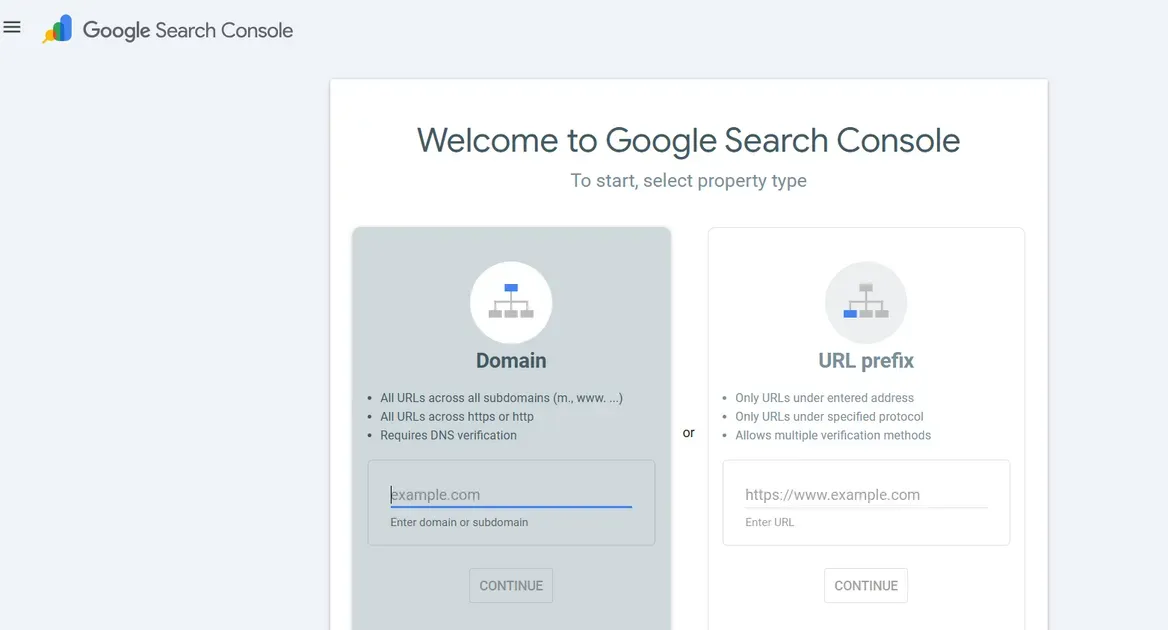
Ongoing monitoring of your URLs helps catch issues before they impact rankings. SEO tools provide insights into crawl errors, broken links, duplicate content, and indexing problems.
Recommended tools and practices:
Google Search Console****: Check coverage reports and fix errors
Crawlers like Screaming Frog****: Identify broken URLs or redirects
Analytics tools: Review organic performance trends by URL
SEO audit software: Spot duplicate or low-value URLs
Regular checks ensure your Shopify URLs stay healthy and aligned with evolving SEO best practices. Automated monitoring tools can alert you when issues emerge, saving time and protecting your traffic.
Monitoring also helps with indexing, ensuring that new URLs get indexed quickly and that outdated or parameter-laden URLs don’t linger in search engine indexes.
Shopify URL Structure Best Practices for Platform Integration
Shopify’s built-in URL framework guides how third-party systems interact with the store’s pages. Clean and predictable URLs make it easier for analytics, advertising platforms, and CRM tools to track traffic, conversions, and engagements accurately. A stable URL pattern also supports reliable API connections and data syncs across tools.
Good URL practices enhance integration with key services like search console reporting and marketing dashboards. When URLs follow clear naming rules, tools can categorize and report data correctly without confusion.
Below are the best practices for Shopify URL structure and integrations:
Use consistent naming: Keep all URL handles lowercased, keyword-focused, and hyphenated for readability and tracking clarity.
Avoid complex parameters: Limit URL parameters on core pages that matter for search and analytics. Many platforms pick the clean URL as the main data point.
Confirm canonical tags: Good canonicals help tools and search engines pick the correct page for indexing and integration.
Monitor broken links: Broken or redirected URLs can distort analytics and interrupt API feeds. Use tools like Search Console to spot issues.
Set up redirects: When URLs change, 301 redirects protect data continuity across systems.
FAQs about Shopify URL Structure
Does Shopify URL structure affect SEO rankings?
Yes. A clear Shopify URL structure helps search engines understand page topics and site hierarchy, which supports better indexing and ranking performance.
How do canonical URLs work in Shopify?
Shopify automatically adds canonical tags to point search engines to the main version of a page. This setup helps prevent duplicate content issues from collection or filtered URLs.
Should I change old Shopify URLs for SEO?
Old URLs should not change unless there is a clear SEO or usability reason. When a change happens, a 301 redirect must stay in place to protect rankings and traffic.
Are Shopify blog and page URLs SEO-friendly?
Yes. Shopify blog and page URLs support SEO when handles stay short, descriptive, and keyword-focused. Only the final slug needs optimization for strong results.
Should Shopify URLs match product titles exactly?
No. URLs should include the main keyword but stay shorter than full product titles. Clean and focused slugs improve readability and search performance.
The Bottom Line
A strong Shopify URL structure supports better rankings, cleaner indexing, and smoother platform integrations. When URLs stay short, focused, and consistent, search engines can understand page value faster and assign authority more effectively. Small URL improvements often lead to lasting SEO gains across products, collections, and content pages. Review existing URLs, fix weak patterns, and apply these best practices to strengthen visibility and performance. Start optimizing the Shopify URL structure today.

Hey! I'm Linda Bui. Join me as we explore tips and tutorials about Shopify apps and Shopify themes for your Shopify store.
Start Building Trust Today
Install the Product Reviews app to improve your store's credibility and boost sales with real customer reviews.
Get Started with Zero CostWhat to not miss out on our blog
Gain insightful knowledge and invaluable experiences from dedicated experts.
_1200x630.webp)
What Is Shopify Collabs? How It Works and How Brands Use It in 2026
Discover what is Shopify Collabs, how it automates affiliate tracking, and how to use it to scale influencer marketing from your dashboard. Read right now!
_1200x630.webp)
_1200x630.webp)
Newsletter
Get all the stories you need-to-know from the most powerful name in news delivered first thing every morning to your inbox